
If you want to show or hide a record of cancelled lessons in your diary on the app, you can easily enable /disable this option in the settings menu.
Steps to Show Cancellations
1. Open the Menu
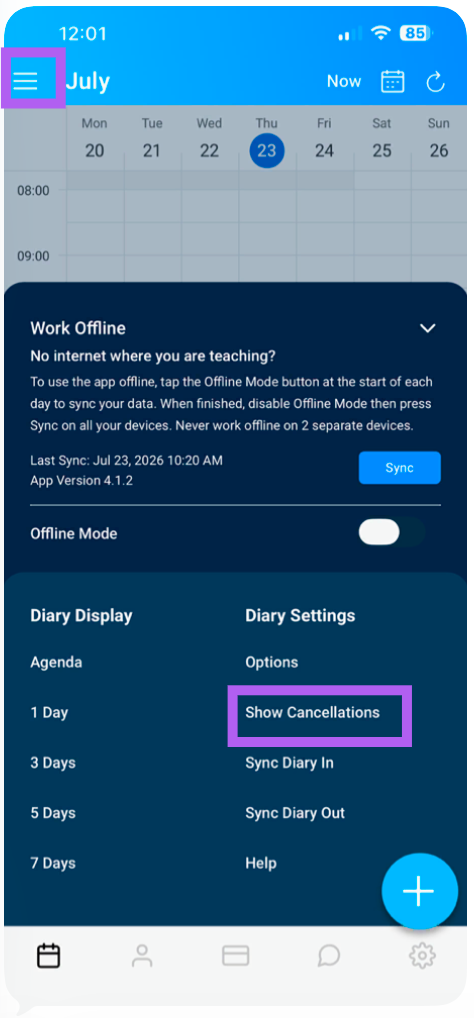
From the home screen, tap the menu icon (≡) located in the top-left corner next to the month.
2. Access Settings
On the right-hand side of the menu, look for the Settings section.
3. Enable Cancellations
Under Settings, Tap "Show Cancellations" to toggle this setting on or "Hide Cancellations" to toggle this setting off
Tip: You can toggle this setting on or off at any time—enabling it temporarily is useful for reviewing cancellation history, then disabling it if you prefer a cleaner diary view.