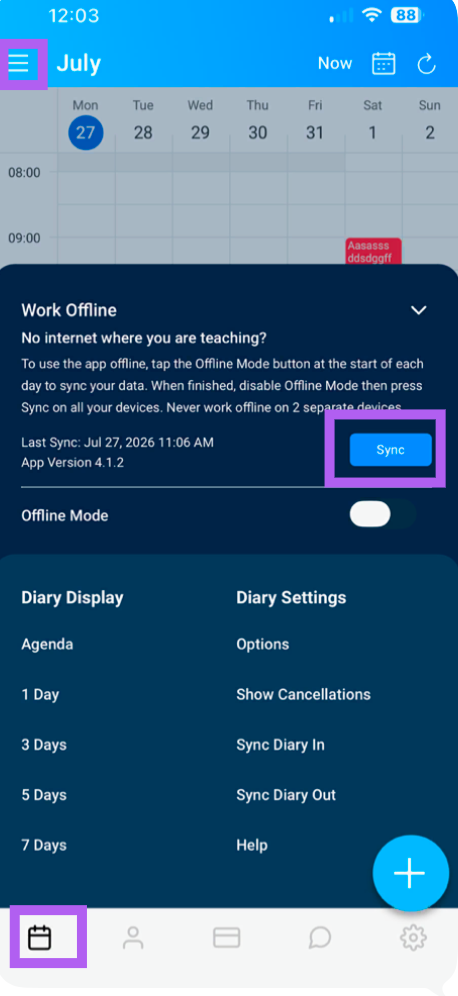
If you need to verify which version of the Total Drive app you're running—whether for troubleshooting or to check for updates—you can find this information quickly from the Diary View.
Steps to Check Your App Version
1. Open the Menu
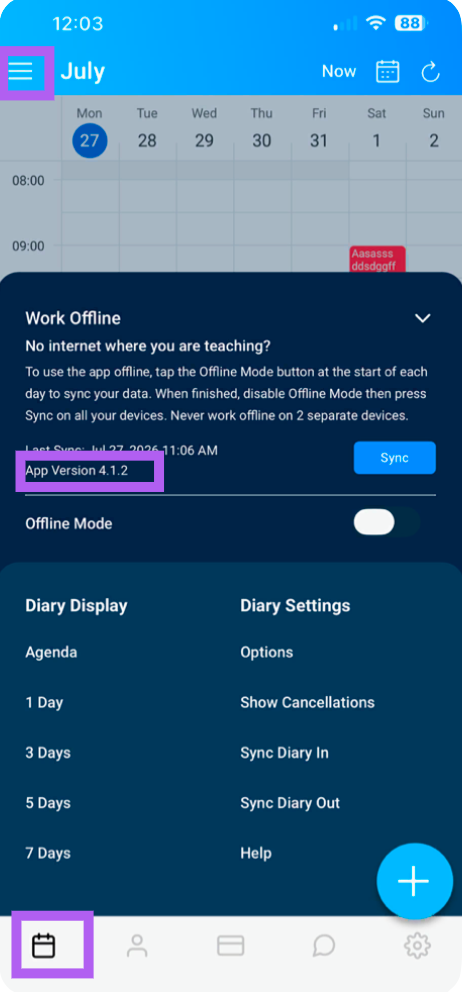
From the Diary View, tap the menu icon (≡) located at the top-left corner of the screen.
2. Locate the Version Number
In the menu, you will see the App Version displayed—this shows the current version of Total Drive you are running.
Why Check Your App Version?
Troubleshooting – Support teams may ask for your version to help diagnose issues.
Updates – Check if you're running the latest version with the newest features and fixes.
Compatibility – Ensure your app is compatible with the latest backend updates.
Tip: If you're not on the latest version, visit your device's app store (Apple App Store or Google Play Store) to check for available updates. Always remember to sync before deleting the app to clear cache or to update.