
Video Training Package
The Total Drive video training package contains 36 professional instructional videos covering all key aspects of driving. These videos are an excellent teaching aid for both instructors and pupils.
Accessing the Videos
You can preview examples of all 36 videos in the package by clicking on the first video which is unlocked
To access the full video library within the app, you will need an active Pro or Elite subscription plan (per instructor).
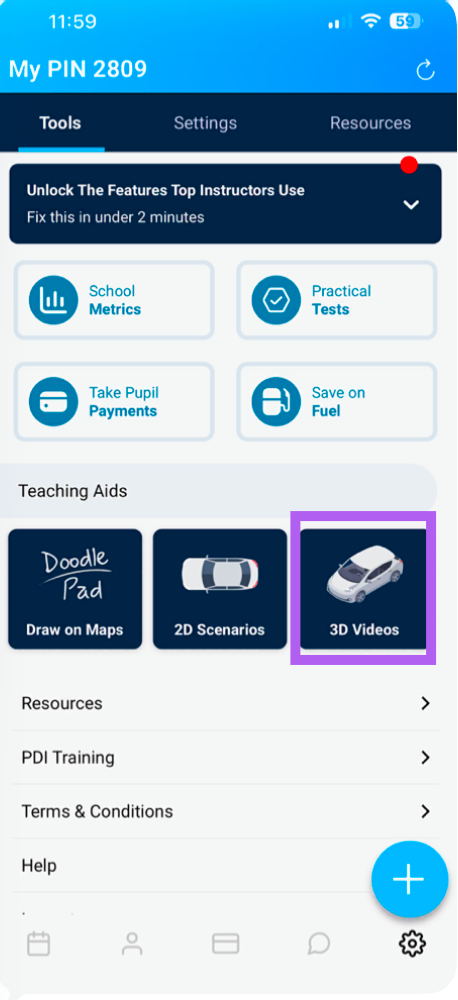
Go to the settings (cog) icon bottom right and click 3d videos.
How to Use the Videos
As an Instructor:
Use the videos to show pupils what will be covered in an upcoming lesson.
Reinforce practical learning by reviewing relevant videos after a lesson.
For Pupils:
Pupils can purchase the full video set for a one-off price of £9.99.
They can then watch the videos outside of lessons as homework.
Videos help consolidate practical learning and prepare pupils for upcoming topics.
Navigating the Video Library
Once subscribed, tap the "View Videos" button to access the library.
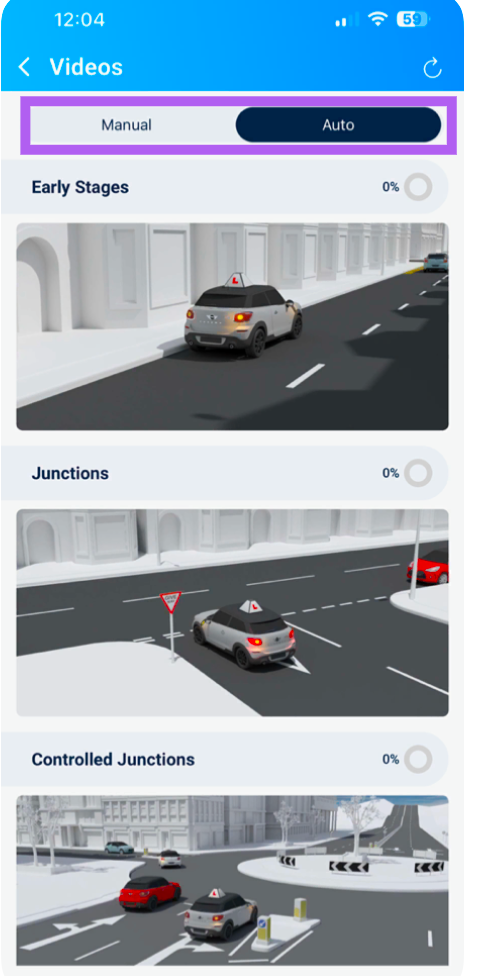
The videos are organised into 6 stages for both manual & automatic, each showing a completion status:
Early Stages
Junctions
Controlled Junctions
Crossroads
Manoeuvres
Road Use
Tap on any stage to display the videos within that category.
Playing a Video
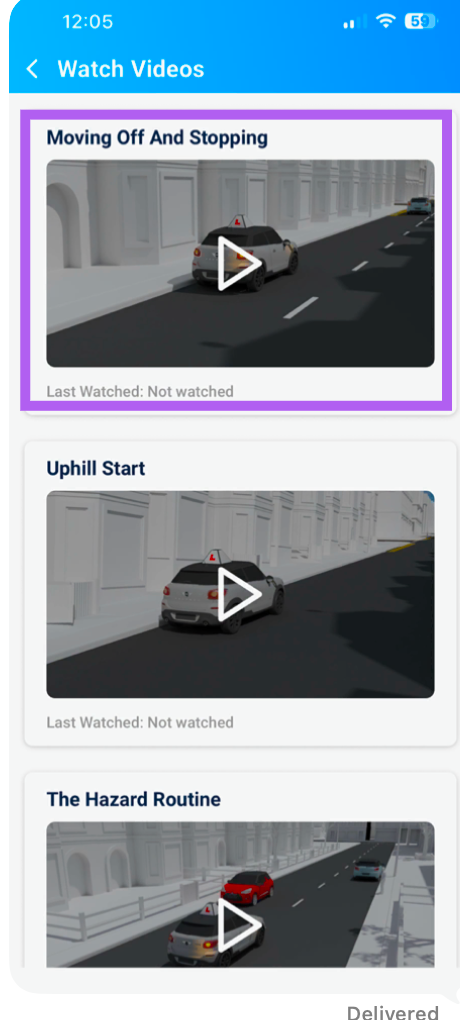
Each video displays a play button – tap this to start watching.
The app will show when the video was last watched, helping you track progress.
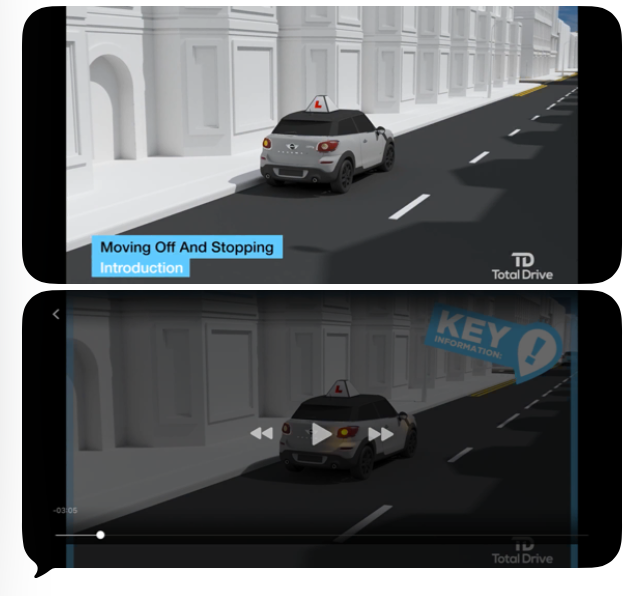
The video will automatically enter full-screen mode on your device.
Controls During Playback
Tap the video screen to pause at any point.
To exit, tap the "Back" button located at the top-left corner of the screen.
Tip: The video library is a powerful teaching resource. Encourage pupils to watch relevant videos before their lesson to maximise learning time behind the wheel.