
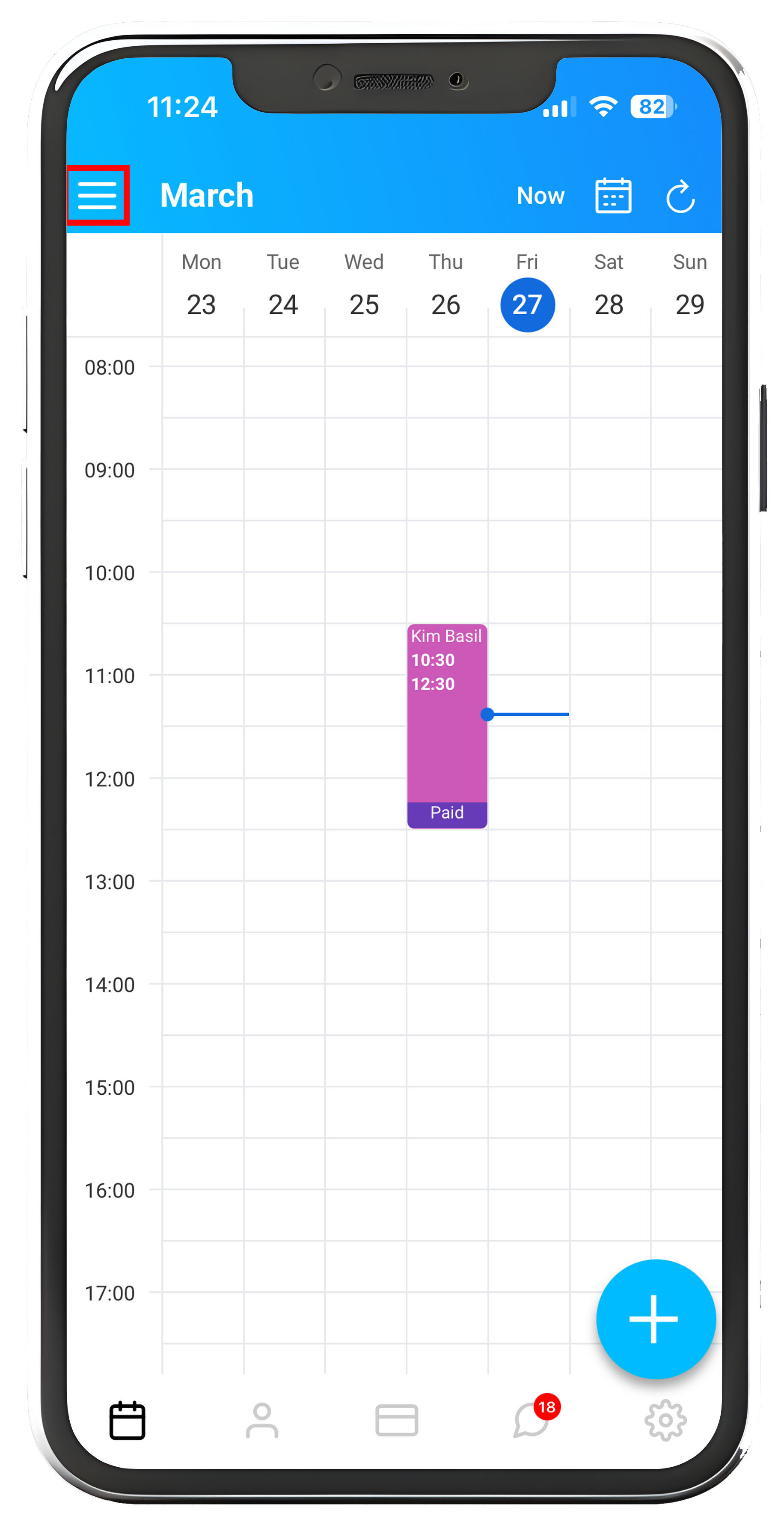
To Sync your Apple Calendar into Total Drive start off by viewing the Diary.
Located in the top left of the screen you will see the "≡" by tapping this you will bring up the menu.
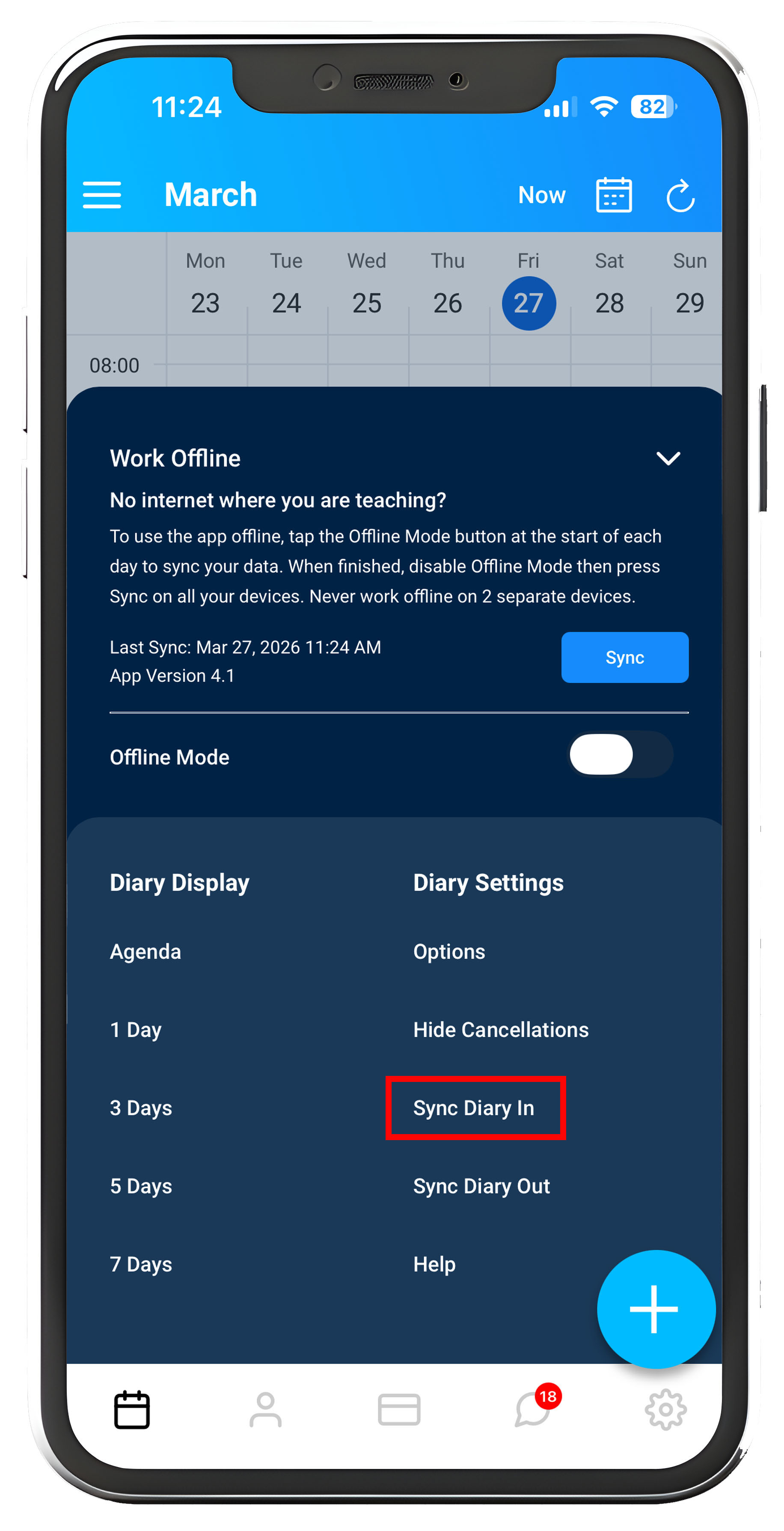
From the Menu, select "Sync Diary In"
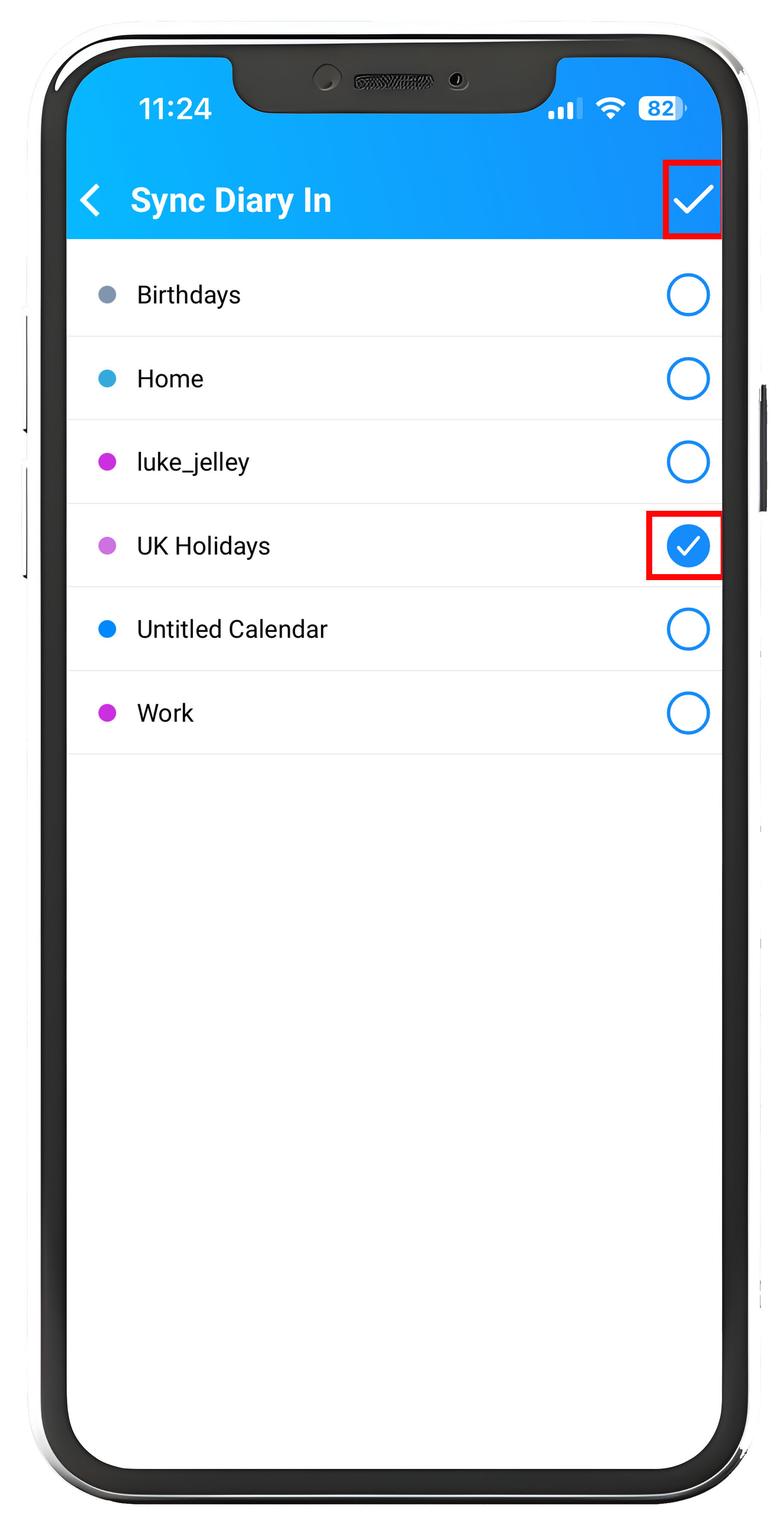
The calendars located on your Apple device will be listed as shown below, tick the Calendars you wish to sync into Total Drive. When you are happy with your selection, tap the "✔" top right to save your changes.
Your chosen calendar(s) will now be synced and visible in the app.
To un-sync
- Open the Calendar app.
- Tap Calendars at the bottom of the screen.
- Tap the info (i) button next to the subscribed calendar you want to remove.
- Tap Delete Calendar or Unsubscribe. You can also choose Unsubscribe and Report Junk if it is spam.
- Tap Delete Calendar or Unsubscribe again to confirm