
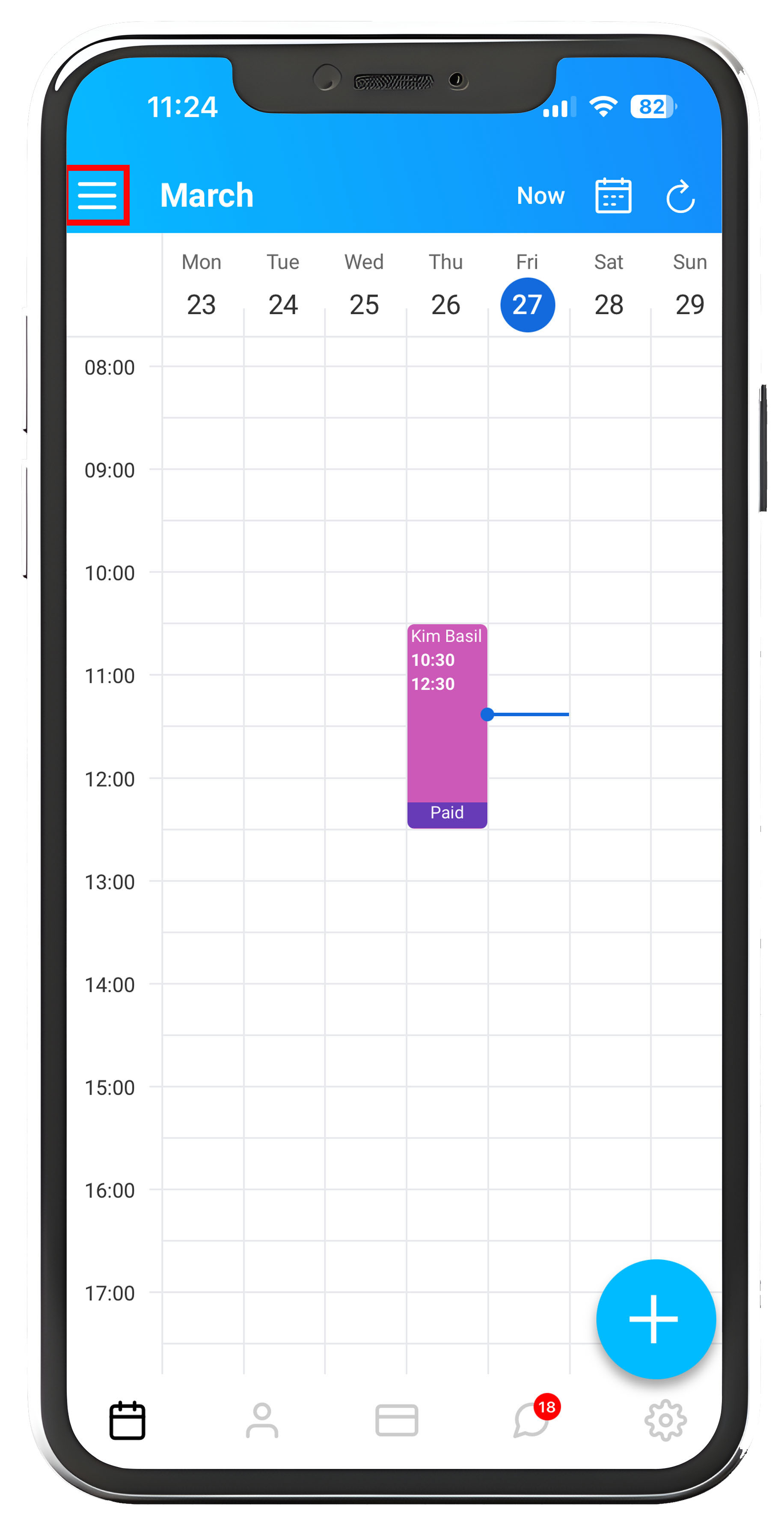
To Sync the Total Drive Diary out to your personal calendar, start from the Diary screen, next select the "≡" which will present you with a menu.
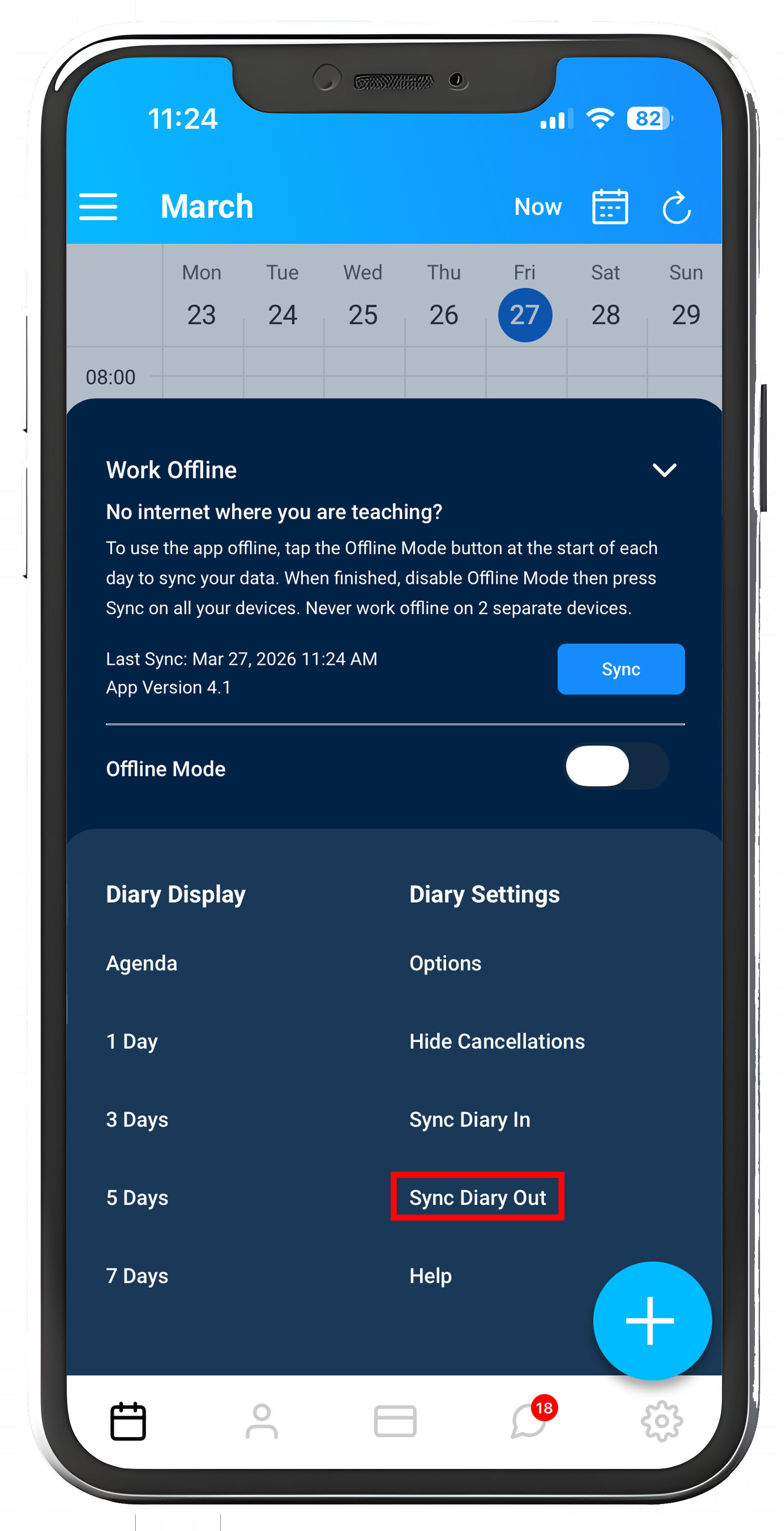
From the Menu, select "Sync Diary Out"
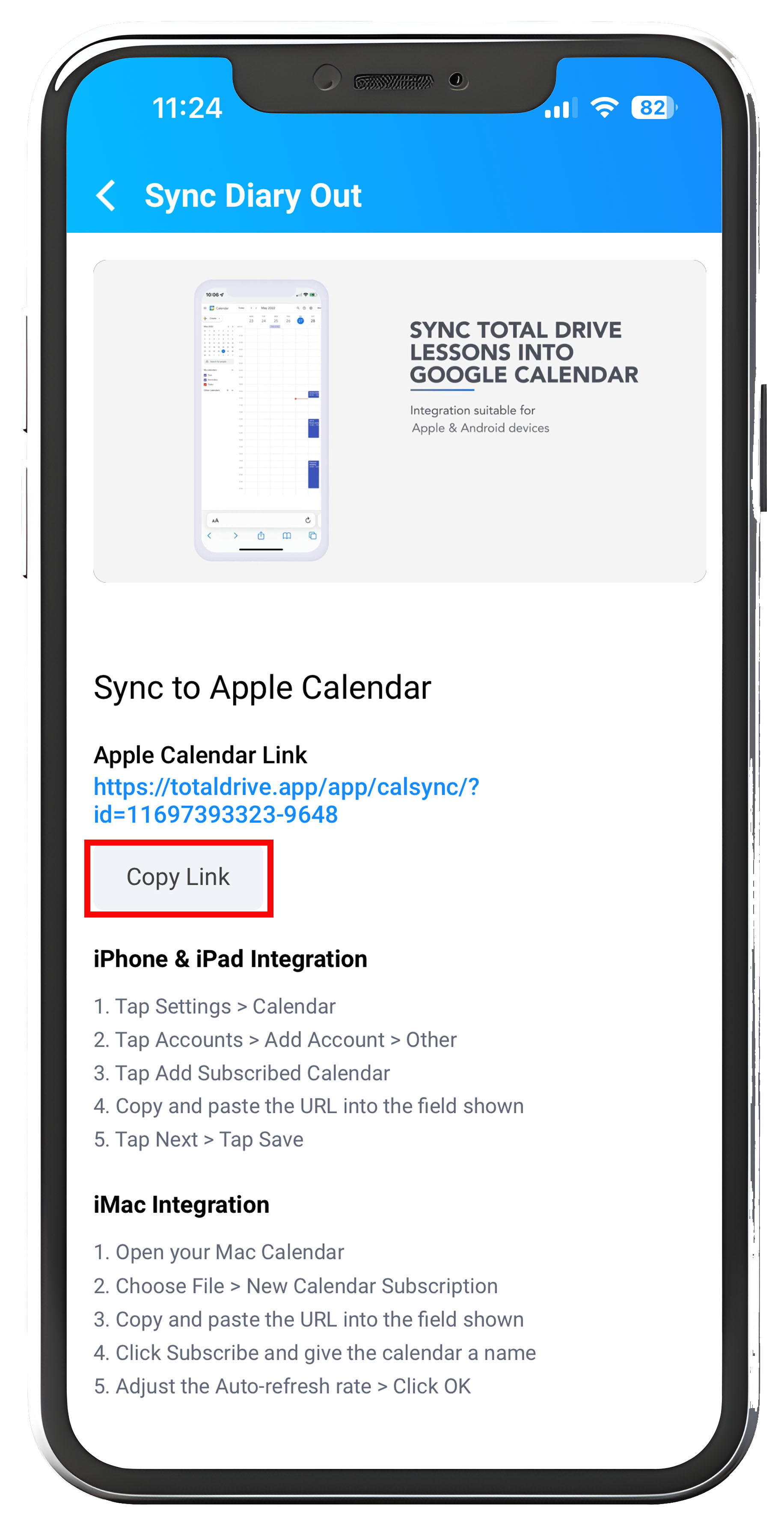
On the next screen, you will need to "Copy Link", the URL shown above will be your unique diary link.
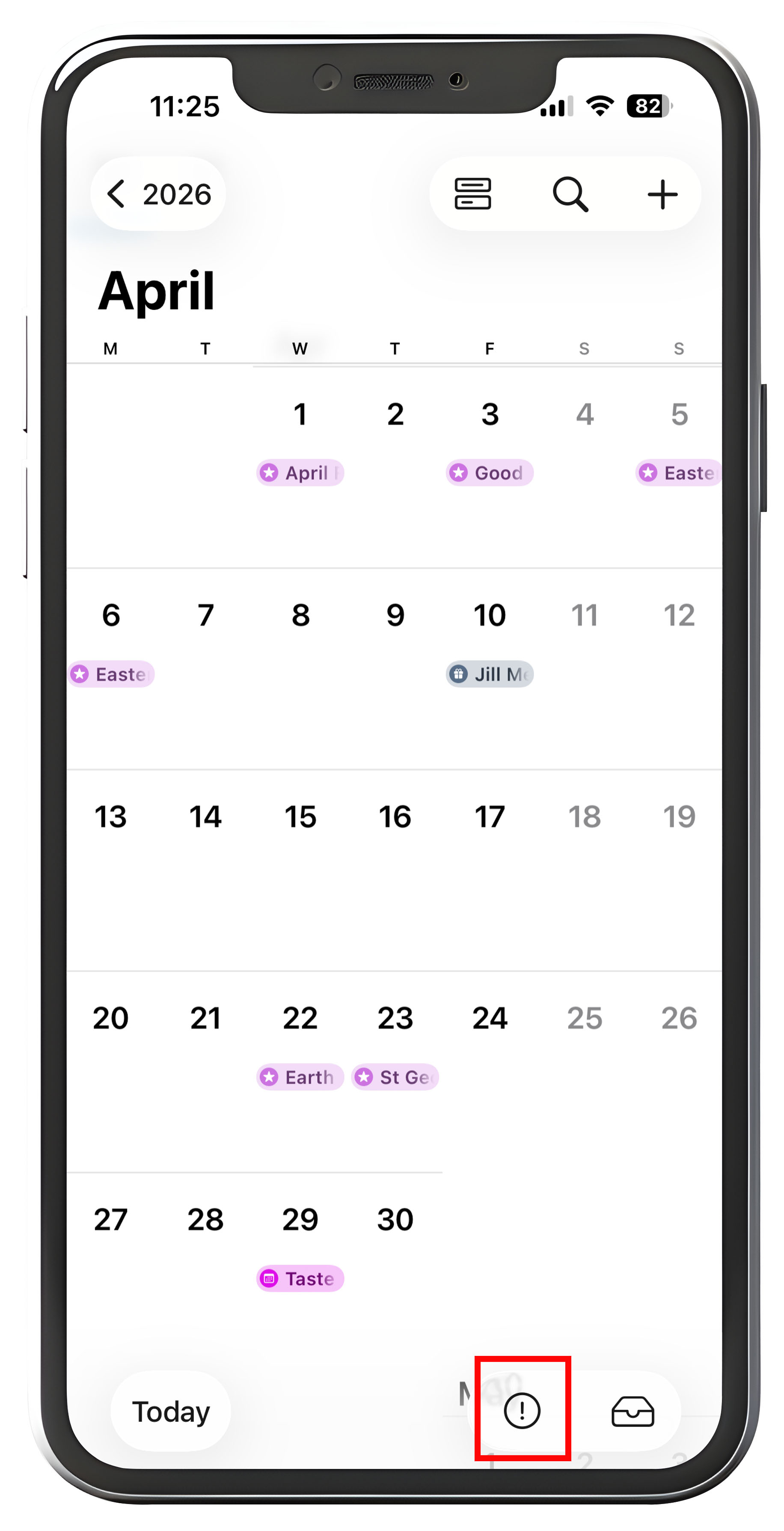
On your device, go to your Calendar and select the Circle with the exclamation mark.
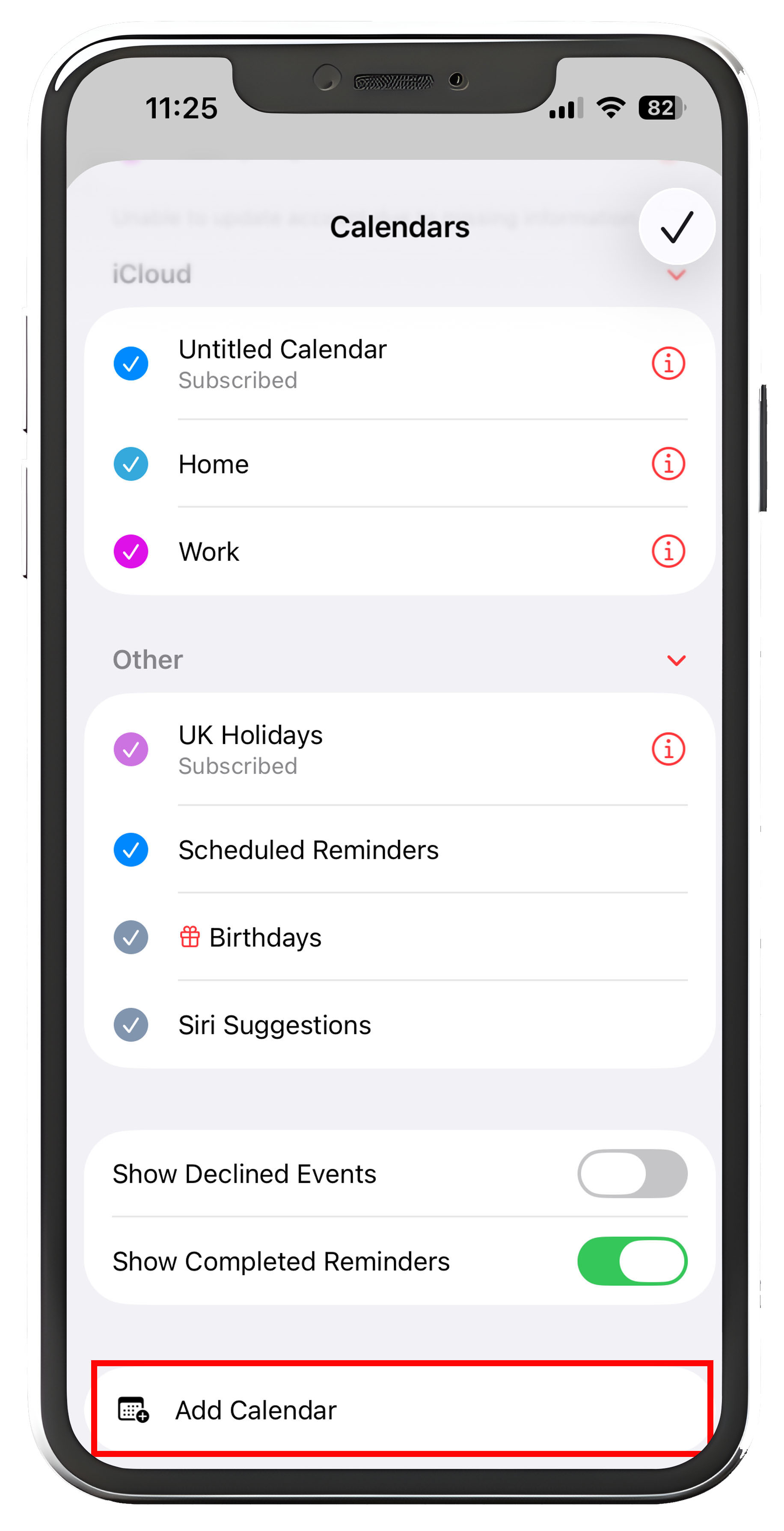
Next scroll down to add a new calendar.
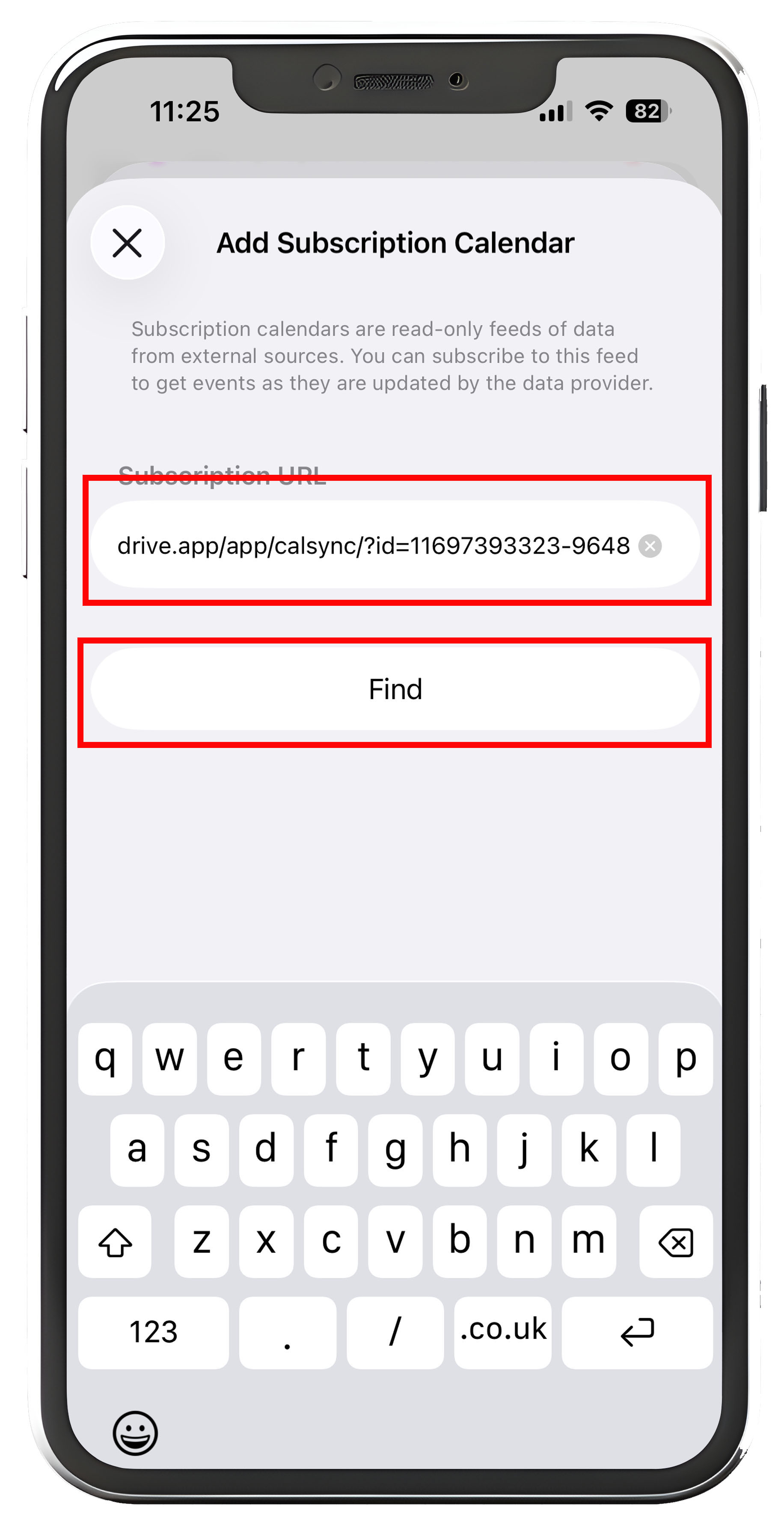
Paste the URL you copied from the Total Drive App and tap "Find".
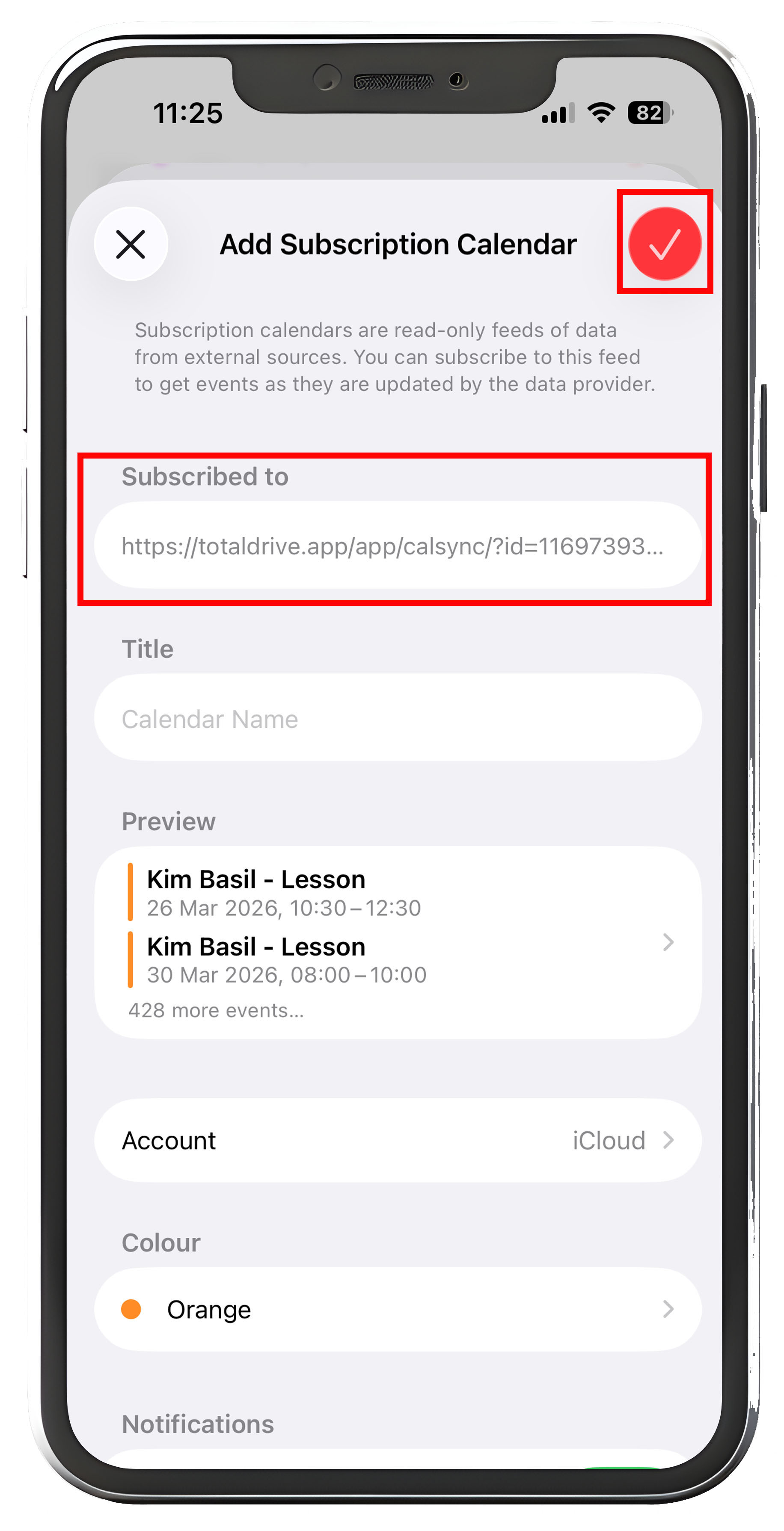
On the next screen you will see the URL you copied in the "Subscribed to" field, simply tap the "✔" icon to add your calendar and save your changes.
You will now see your Total Drive Diary entries synced into your Apple Calendar.