
To complement the new student self-service features, we have upgraded the Instructor Dashboard to give you greater control over your collection routes.
You can now save multiple pick-up/drop-off locations for each individual pupil directly from your side of the app. This allows you to plan efficient routes, group nearby students, and adapt quickly when a pupil requests a one-off collection from a different address (e.g., their workplace or a friend’s house).
Here is how to set up and utilize this powerful new time-saver.
To add a location
How to Add Multiple Locations for a Pupil
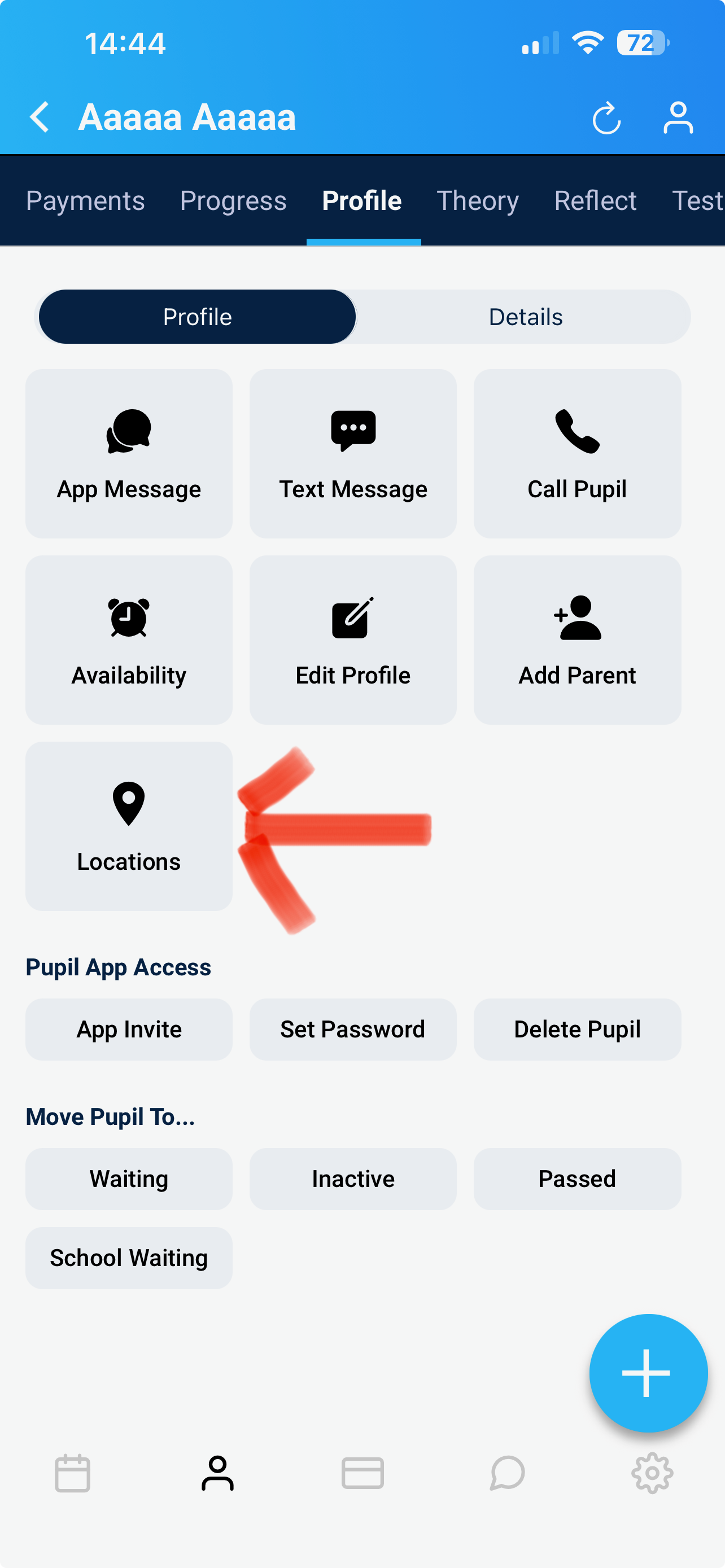
Navigate to your Pupil Profile and select the student you wish to edit.
Click on the "Locations" tab (or the pin icon) within their profile.
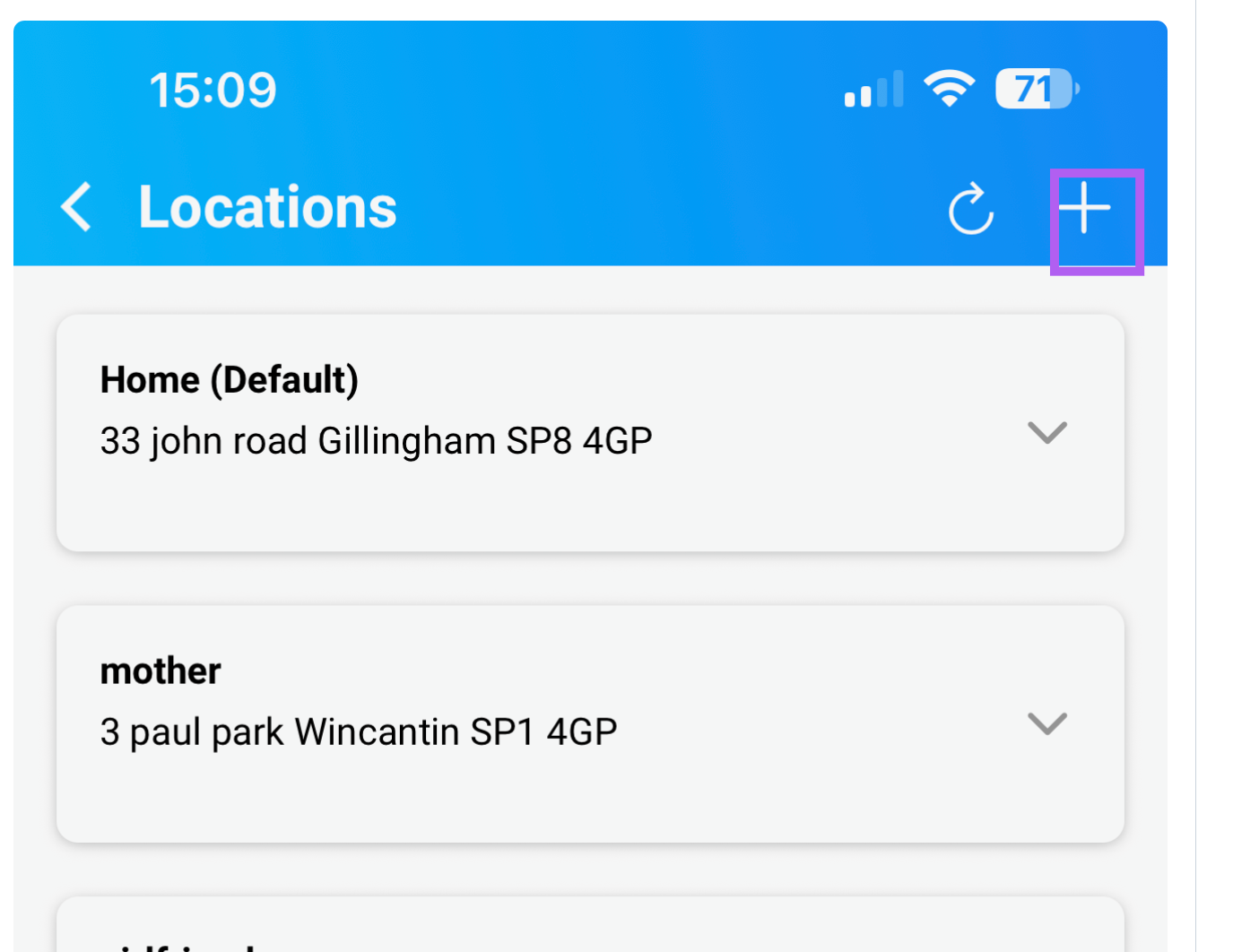
Click "+" at top of the page on right and fill in the details:
Label: Give the location a clear name (e.g., Home, University, Grandma's House).
Address: Enter the full street address.
What3words (Optional): For rural areas, new-build estates, or large apartment complexes, input their What3words address to guarantee you arrive at the exact entrance.
Repeat the process to build a list of their regular spots. You can set one of these as their "Default" collection point.
How to Use These Locations for Lessons
Once you have saved multiple locations, using them is seamless:
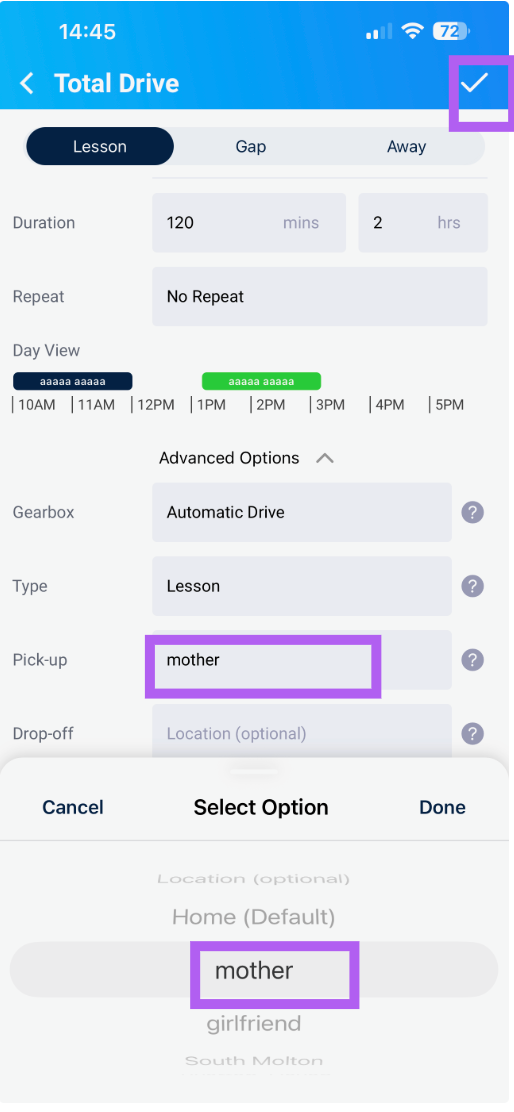
Scheduling a Lesson: When you book a new lesson in the calendar, simply select which saved location you will be collecting or dropping off the pupil from that day.
Navigating: Click the location address directly within the lesson card to open your preferred navigation app (Google Maps/Apple Maps) pre-loaded with the destination.
Swapping on the Fly: If a pupil texts you on the day to say they are at a different spot, you can quickly swap the lesson's pick-up point to one of their other saved addresses without retyping anything.
Instructor Tip: Encourage pupils to use their app to add their own locations. This automatically syncs to your Instructor Dashboard, meaning you have zero data entry to do—just a quick review to confirm the addresses are correct!