
Coordinating lesson times across multiple students used to mean juggling spreadsheets, text messages, and guesswork. Not anymore!
With Version 4.1, we have introduced a powerful new Availability Overlay feature. This allows you to visualize exactly when each of your pupils is free for lessons, directly within your calendar view.
By overlaying your students' availability, you can instantly spot gaps in their schedules that match your own, making the booking process faster, more efficient, and completely hassle-free.
How to View a Pupil's Availability
Follow these simple steps to check when your student is ready to drive:
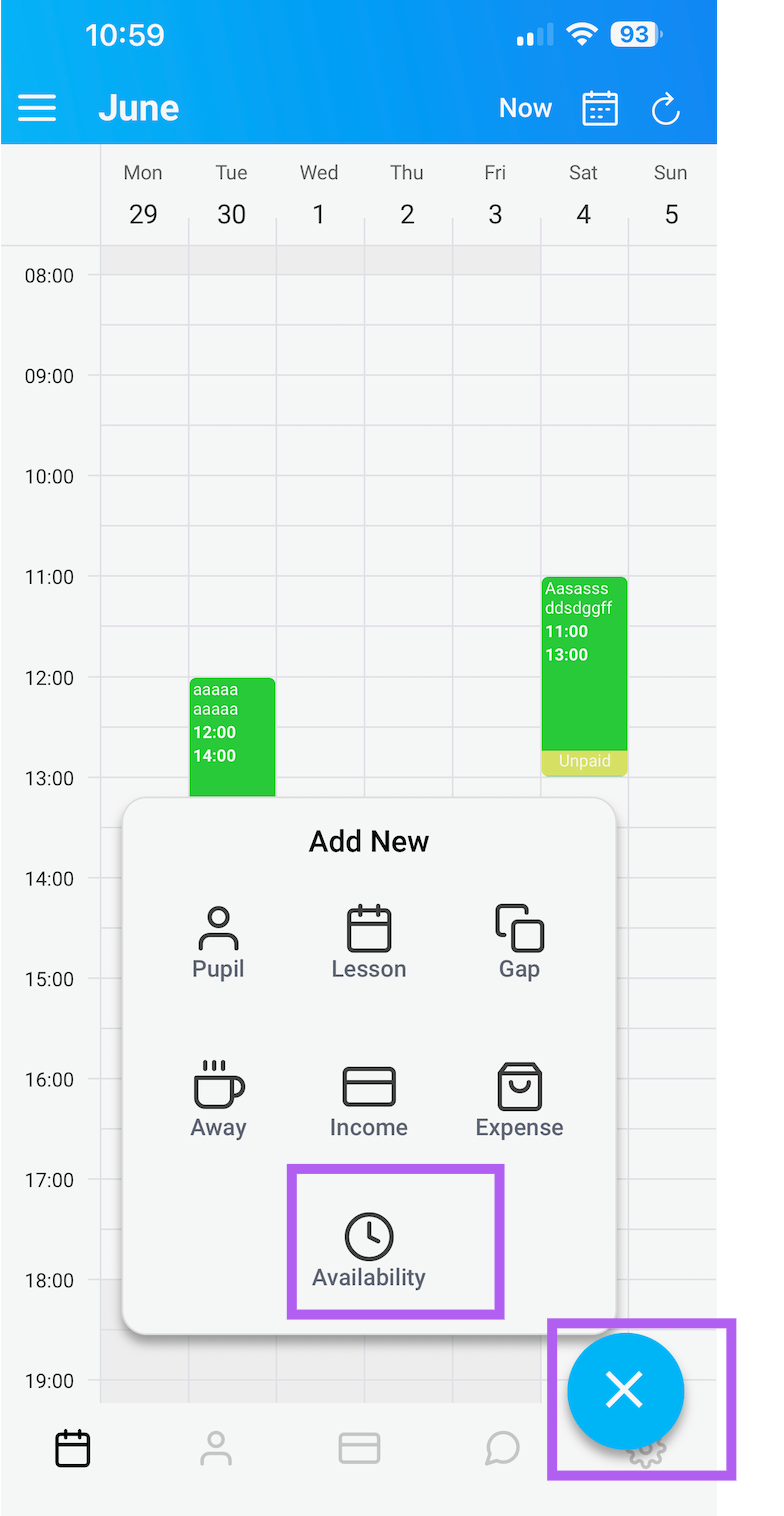
Open the Scheduler: From your main dashboard, tap the big blue "+" button located in the bottom right-hand corner of the screen. This is your central hub for creating new lessons.
Access the New Feature: Look for the new "Availability" button within the menu options. Tap on it to open the availability tool.
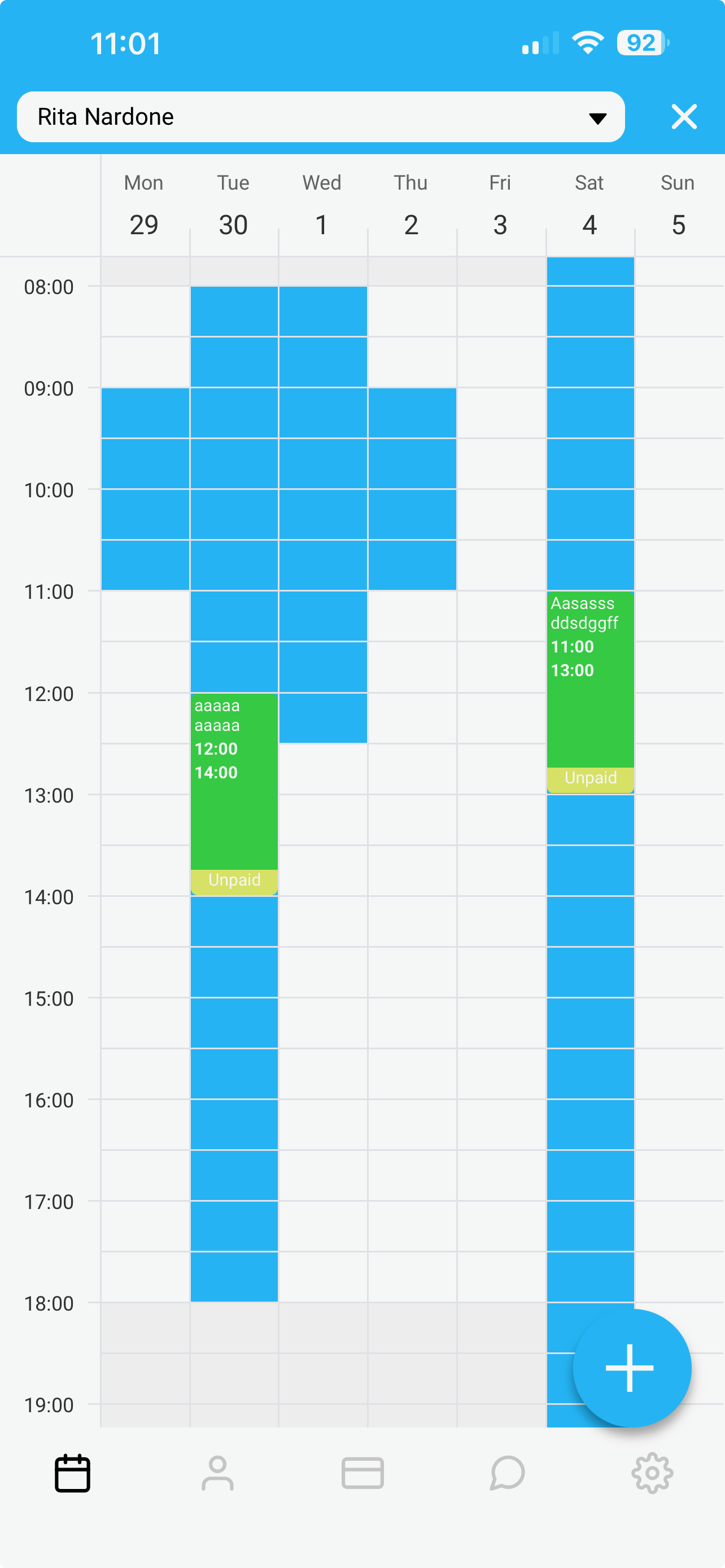
Select Your Pupil: A scroller will slide up from the bottom of the page. Scroll through your student list and select the pupil you want to check.
View the Overlay: Once selected, the pupil's available time slots will instantly appear as blue blocks overlaid on your calendar. Their unavailable times (e.g., school, work, or other commitments) will remain clear
How to Use the Overlay for Smarter Booking
Once you have activated the overlay, you can put it to work immediately:
Find Mutual Availability: Scan the calendar to find where your open teaching slots (your availability) overlap with the student's blue blocks.
Quick Booking: If you see a clear overlap, simply tap on that time slot to create a new lesson. The app will automatically pre-populate the date and time based on what you have selected.
Pro Tips for Instructors
Plan Your Week in Advance: Use the overlay at the start of each week to map out which students you can see and when. This helps you fill your schedule efficiently and avoid double-booking.
Encourage Student Updates: Remind your pupils to keep their availability up to date using their own app. The overlay is only as accurate as the data they provide—and when it is accurate, it saves you endless back-and-forth messaging.
View at a Glance: There is no need to memorize or write down schedules anymore. The blue overlay gives you a clear, color-coded visual that tells you everything you need to know in seconds.