Stay connected with your pupils and reduce last-minute cancellations with Total Drive’s flexible lesson reminder options. Whether you prefer in-app notifications or traditional SMS, we’ve got you covered.
In-App Reminders (Free)
Our standard in-app reminders are a great way to keep pupils informed at no extra cost. They're reliable when all the following conditions are met:
The pupil has installed the Total Drive app and logged in
They have allowed notifications during initial setup
They have an active Wi-Fi or mobile data connection
While these reminders are effective, they’re not 100% guaranteed due to their dependency on the app and connectivity
SMS / Text Reminders (Paid)
For virtually guaranteed delivery, SMS reminders use the standard mobile network to send a traditional text message. These reach pupils even if they don’t have the app installed, making them an excellent backup or primary reminder option.
Delivered directly to the pupil’s mobile device
No app or internet connection required
Ideal for proof of delivery and reducing no-shows
Recommended Approach
For maximum effectiveness, we recommend combining both reminder types:
In-App Reminder: Send 24 hours before the lesson
SMS Reminder: Send 48 or 72 hours before the lesson
This gives pupils plenty of notice and ensures they receive at least one reminder they can’t miss.
SMS reminders also serve as proof of delivery, which can be useful if you need to enforce cancellation policies.
? Make sure your terms and conditions clearly state that lessons cancelled or missed within ** hours may be charged.
SMS Text Bundles
To use SMS reminders, you’ll need to purchase a Text Bundle. The most popular option is:
1,000 messages for £40
If you deliver around 25 lessons per week, this bundle will last approximately 10 months.
How to Set Up Reminders
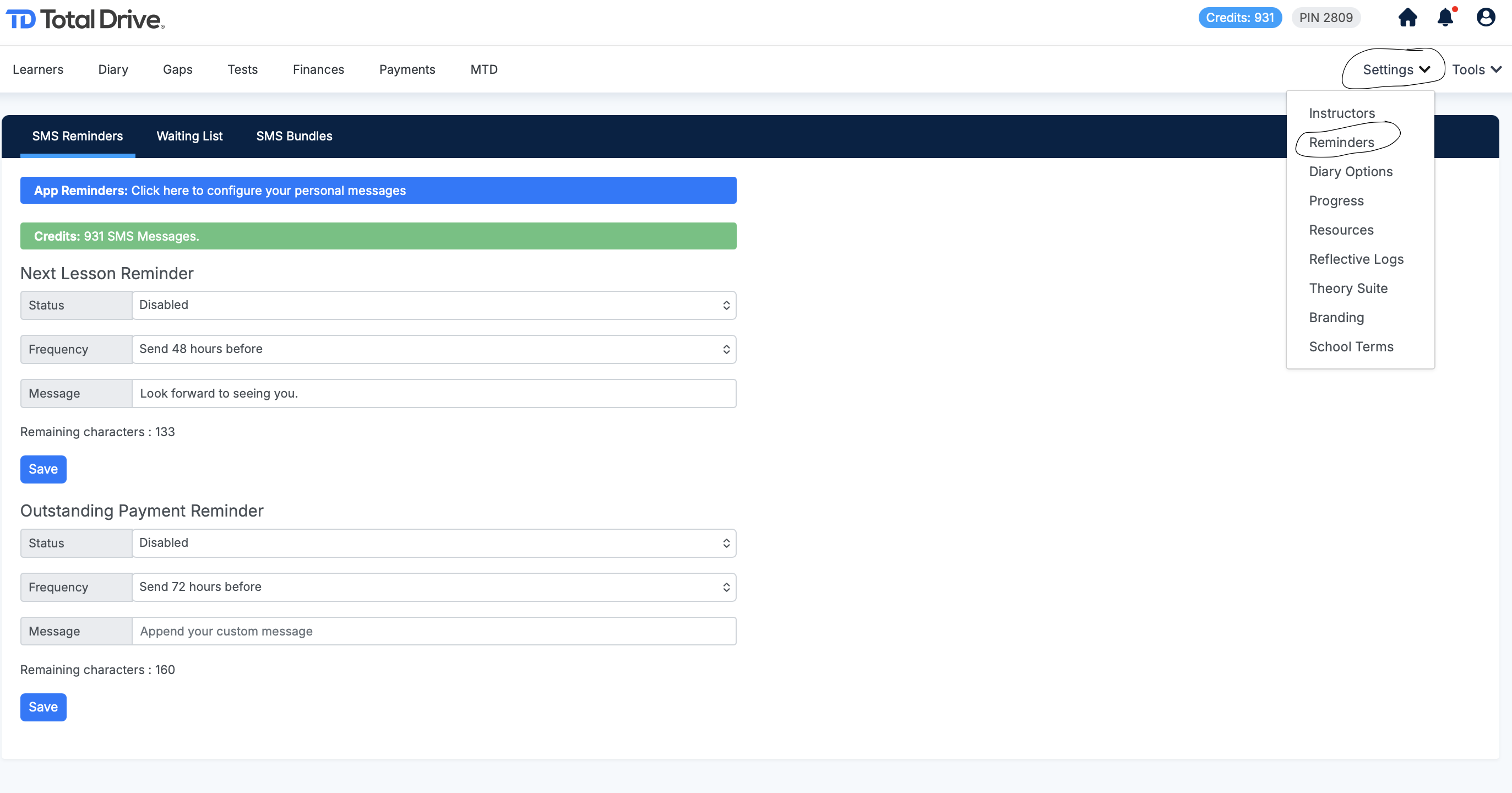
You can easily manage both reminder types and purchase SMS bundles through your Total Drive web admin:
Log in to your account
Go to the Settings menu
Select Lesson Reminders
From there, you can customise timing, choose reminder types, and top up your SMS credits as needed.