Configuring Your Diary Settings
The Diary Options section is divided into several areas for easy setup.
1. ?️ Adjusting Your Diary Location
At the top of this section, you can set your diary location. This is useful particularly when you add gaps - lessons not yet booked by pupils
To add more locations: Click the blue and white plus symbol (+) .
To edit or remove existing locations: Use the Action options next to each location entry.

2. ?️ Customising Lesson Types & Colours
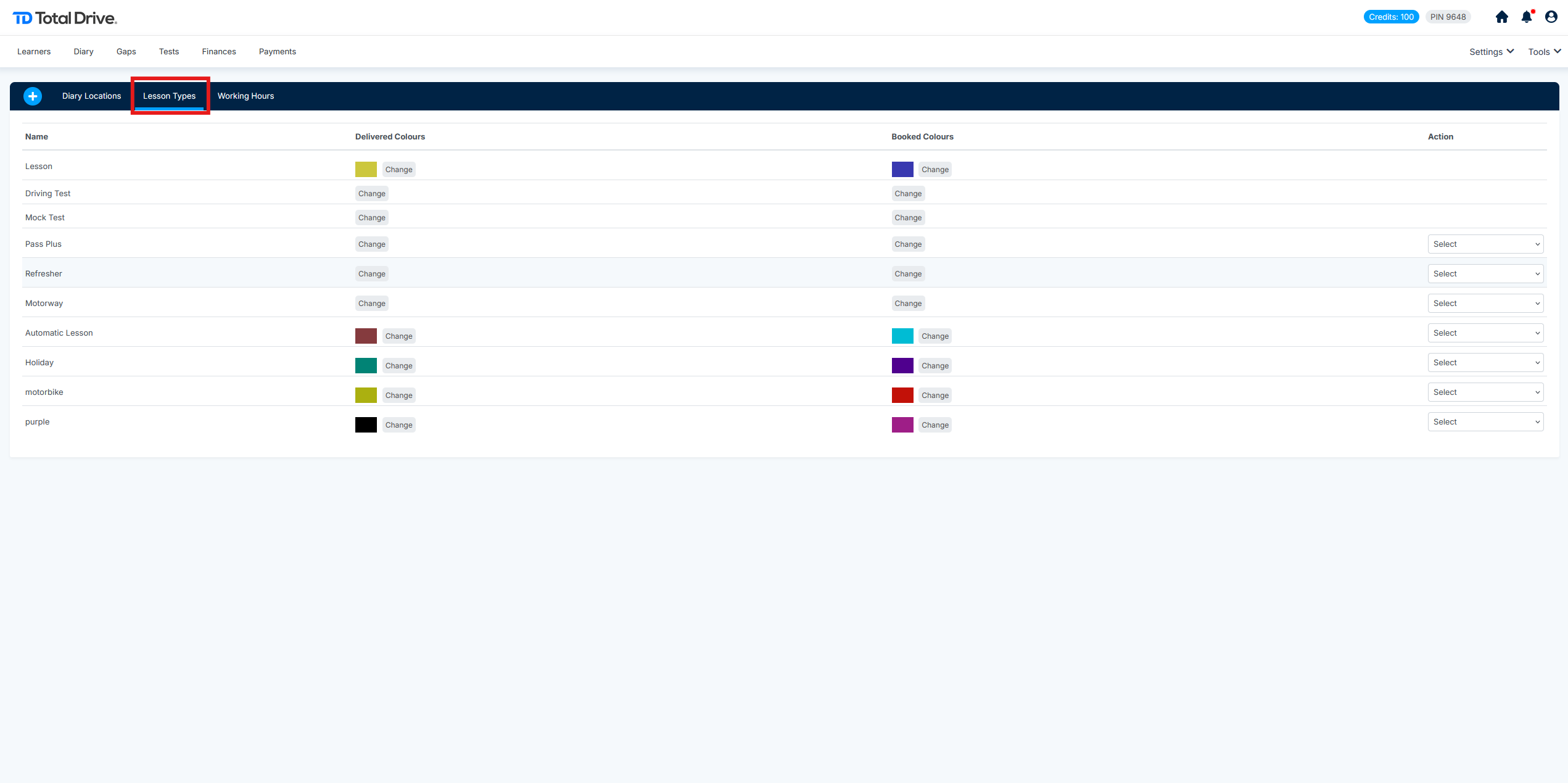
Click on the Lesson Types heading to expand this section.
Here, you can view and manage all the lesson types in your diary, such as:
Standard lessons
Driving tests
Mock tests
For each lesson type, you have the following options:
Change the Colour: Assign different colours for clear visual differentiation in your diary (e.g., use one colour for booked lessons and another for delivered ones).
Edit or Delete: Modify the lesson type's name or remove it entirely
3. ⏰ Setting Your Working Hours
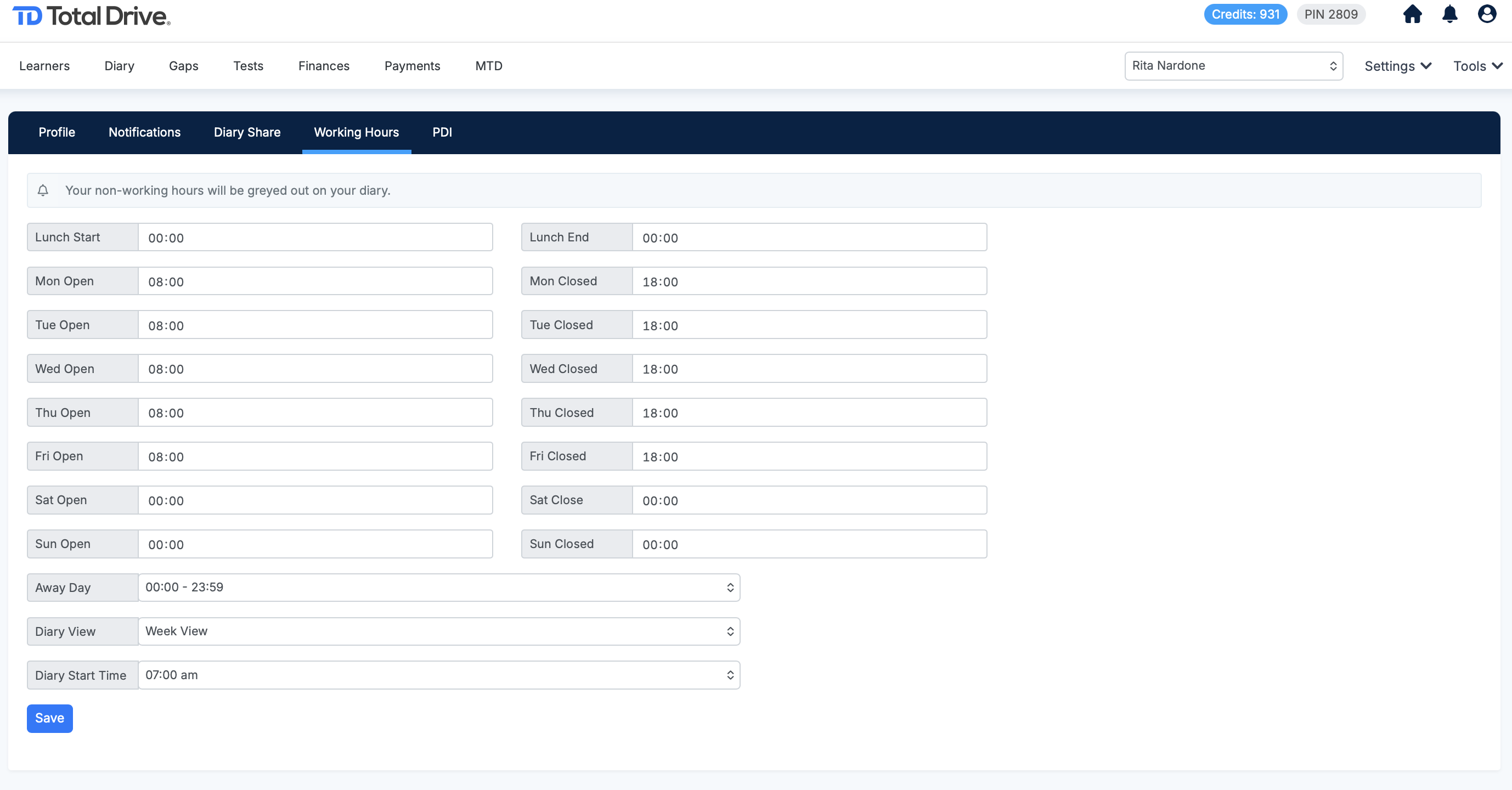
Under the Working Hours section, input the specific days and times you are available for lessons.
You can also select your preferred default diary view:
Day view
5-day view
Week view
Month view
Within this section, you have access to additional diary settings:
Choose whether cancelled lessons are visible in your diary view.
Adjust the default start time of your diary day to reflect when your first lessons typically begin.