
Improved Help File: Managing Your Profile
This guide explains how to update your personal account details as a Web Admin for Total Drive.
? Accessing Your Profile
Log in to your Total Drive Web Admin account.
In the top-right corner of the screen, click on your profile icon - Top right (see below)
You will be taken directly to your Profile page.
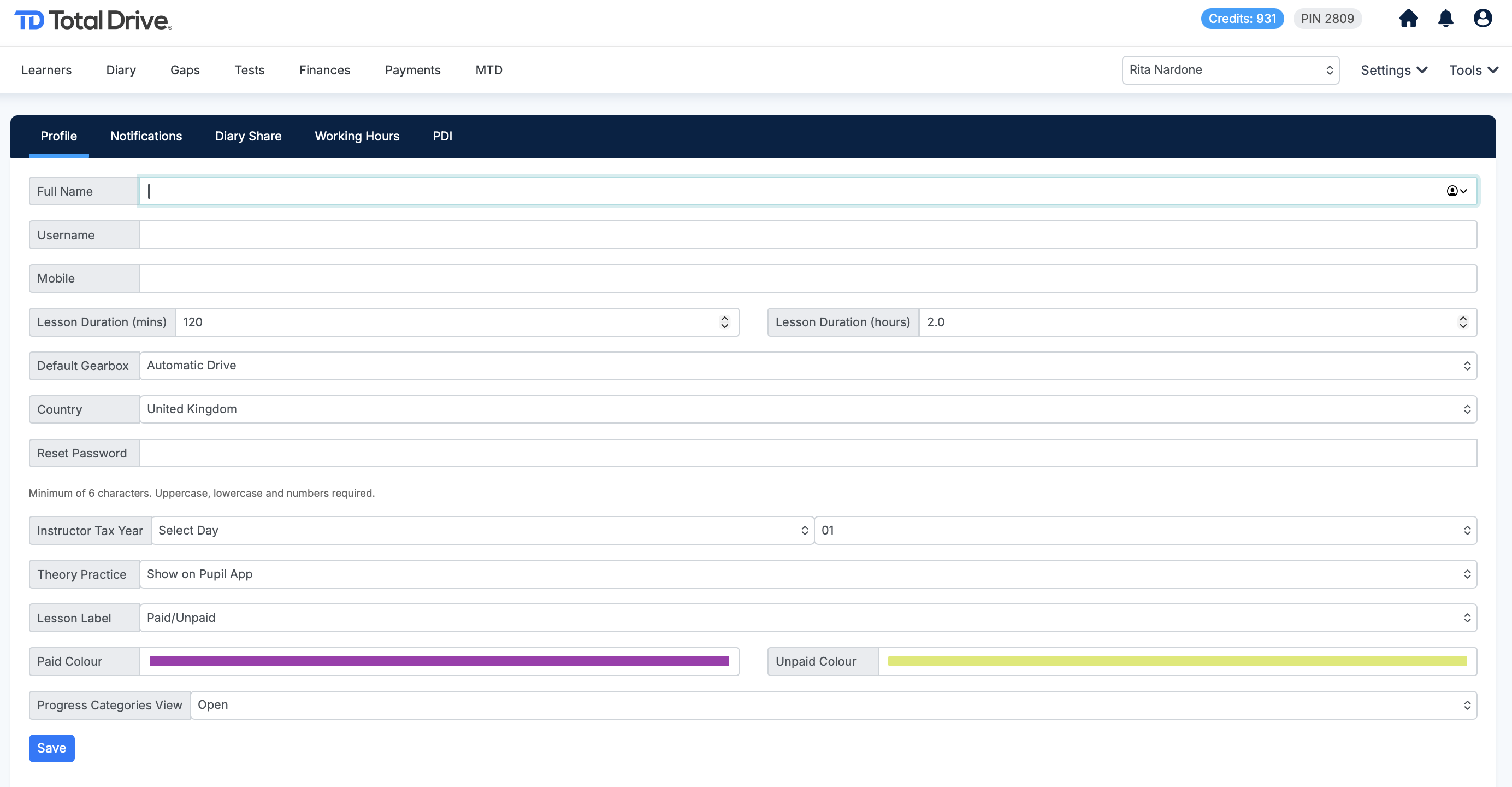
✏️ Editing Your Profile Information
From your Profile page, you can update the following details:
Username: Update your account login name.
Mobile Number: Change your registered mobile phone number.
Password: Set a new password for your account.
Add your tax year
Show the Theory suite option on the pupil app
Have labels on your lessons for Paid and unpaid
Change the label colours
? Saving Your Changes
After making any adjustments to your information:
Scroll down to the bottom of the page.
Click the Save button to apply all your updates.