
Keep your waiting list active and up-to-date by automatically sending SMS reminders to contacts, confirming they're still interested in your services.
How to Set Up Waiting List SMS Reminders
Log in to the Web Admin portal https://web.totaldrive.app/login
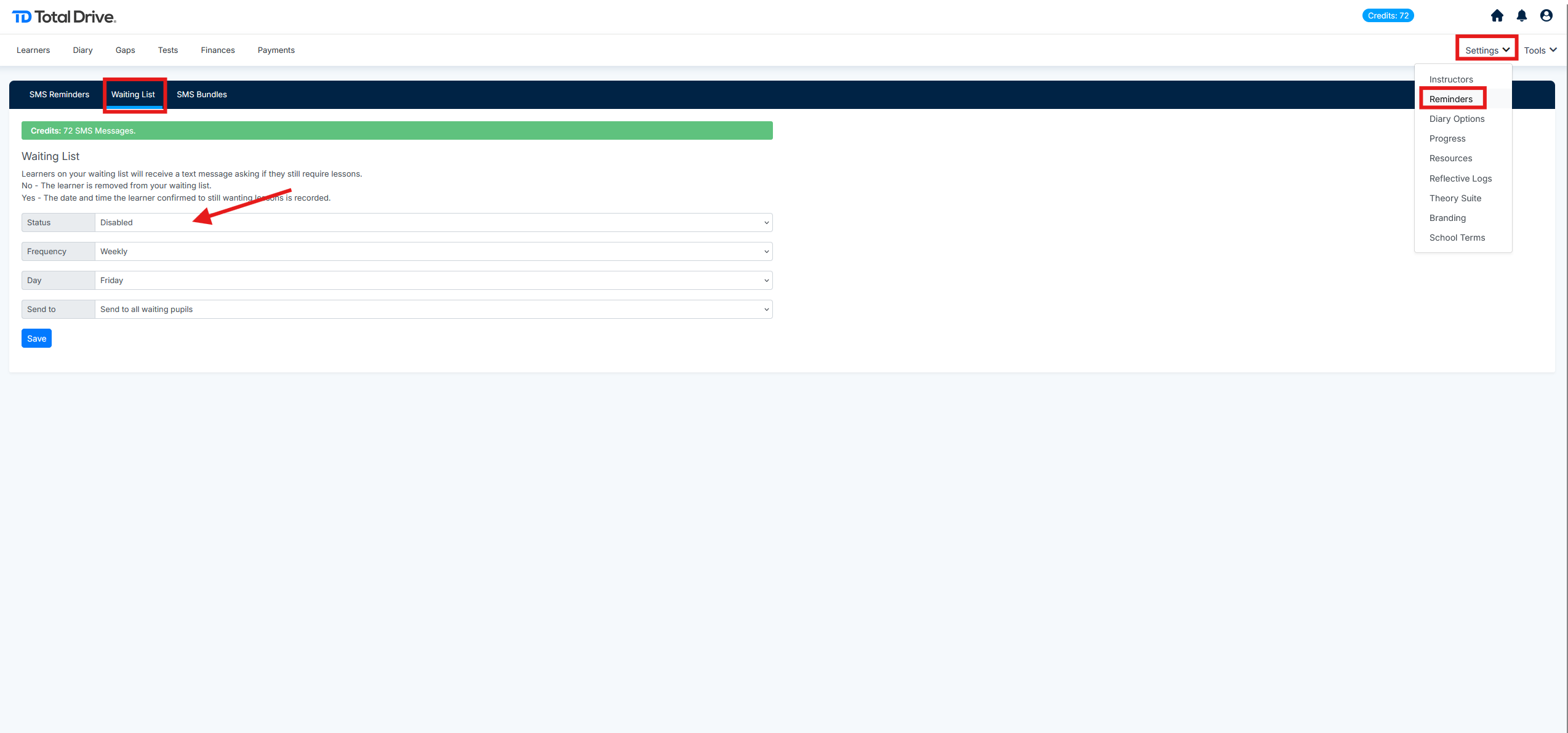
Navigate to Settings > Reminders > Waiting List
Configure your reminder settings:
Toggle the feature ON to enable reminders
Select your preferred sending schedule (see options below)
Choose the day of the week for messages to be sent
Schedule Options
Choose how often reminders are sent:
Weekly – Send every week
Fortnightly – Send every two weeks
1st Day of the Month – Send once monthly
Important Notes
Credit Usage: Each waiting list SMS sent will deduct from your available credits
Disable Anytime: You can turn off this feature at any time by returning to Settings > Reminders > Waiting List and toggling the function OFF