Updating Your Mobile Number in Total Drive Web Admin
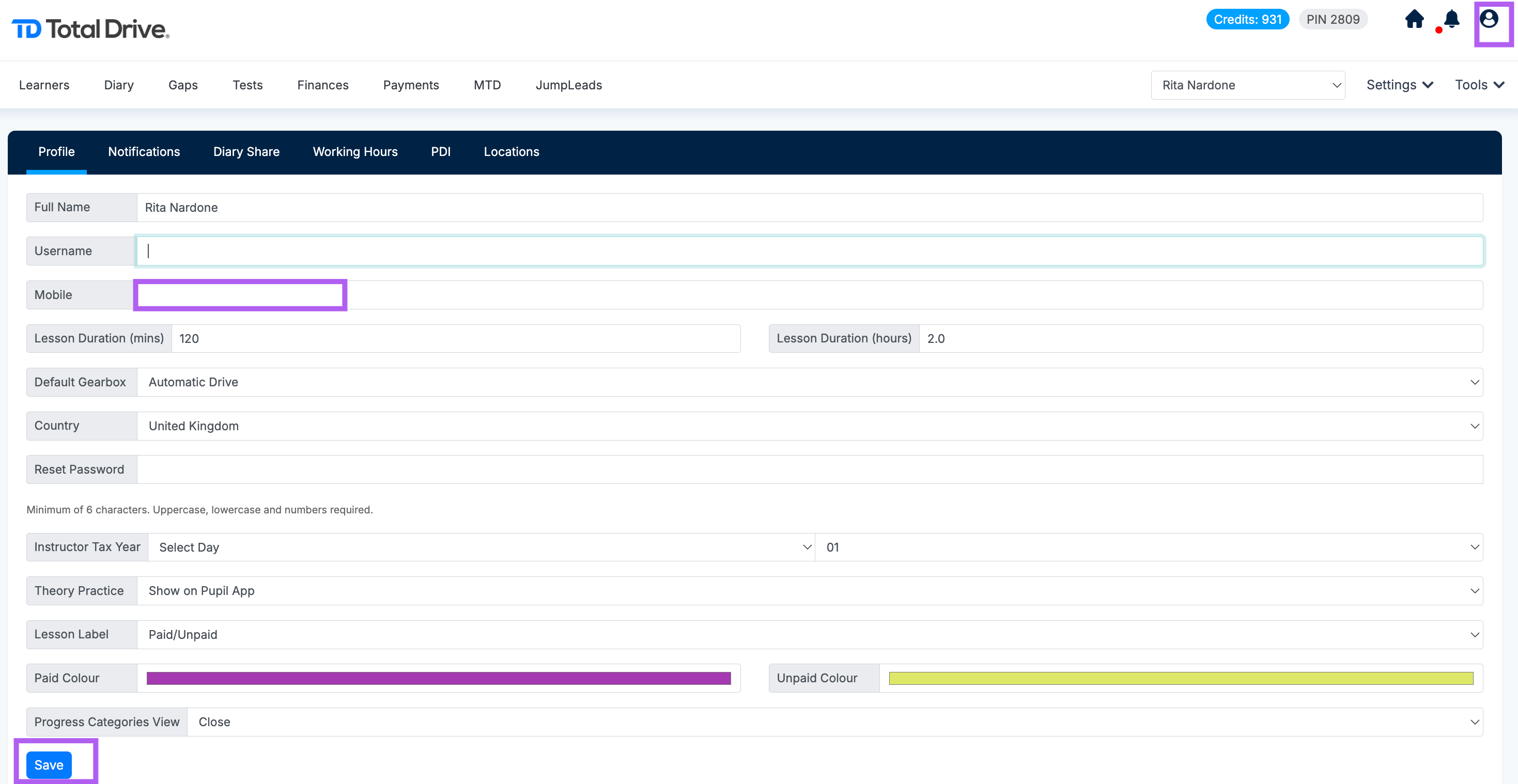
Log in to the Total Drive Web Admin.
Click the Profile icon.
Locate the Mobile Number field.
Enter your new mobile number.
Click Save to confirm the change.

Modified on: Tue, 15 Sep, 2026 at 11:52 AM
Updating Your Mobile Number in Total Drive Web Admin
Log in to the Total Drive Web Admin.
Click the Profile icon.
Locate the Mobile Number field.
Enter your new mobile number.
Click Save to confirm the change.
Did you find it helpful? Yes No
Send feedback