Changing Your Username in Total Drive Web Admin
Log in to the Total Drive Web Admin. https://web.totaldrive.app/login
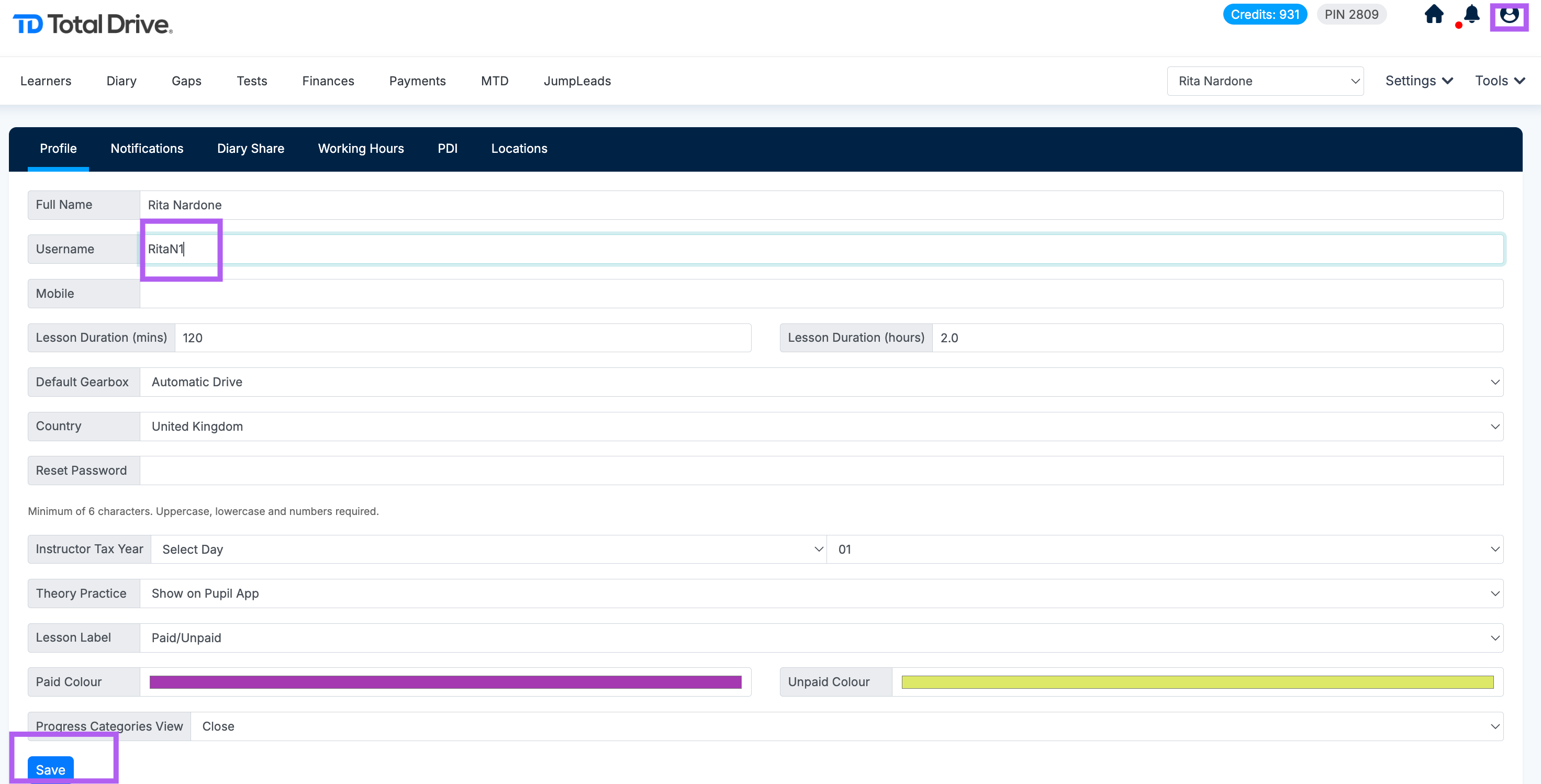
Click the Profile icon.
In the Username field, enter your new preferred username.
Click Save to confirm the change.

Modified on: Wed, 16 Sep, 2026 at 11:55 AM
Changing Your Username in Total Drive Web Admin
Log in to the Total Drive Web Admin. https://web.totaldrive.app/login
Click the Profile icon.
In the Username field, enter your new preferred username.
Click Save to confirm the change.
Did you find it helpful? Yes No
Send feedback