
How to Cancel Your Subscription
We're sorry to see you go. If you've decided to cancel your Total Drive subscription, you can do so quickly and easily by completing our online cancellation form.
Steps to Cancel
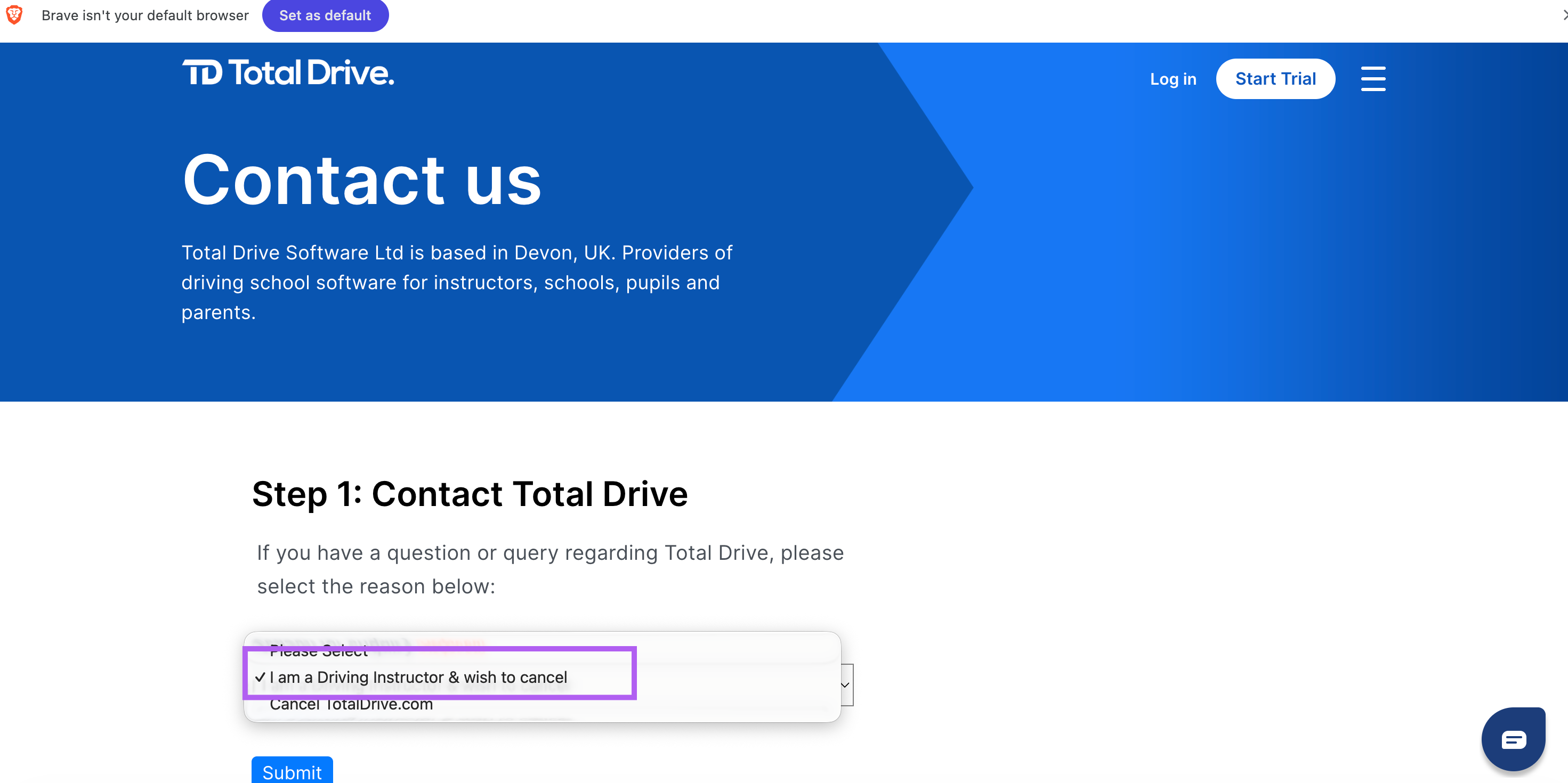
1. Visit the Cancellation Page
Click on Reason for enquiry and choose i am a driving instructor and I wish to cancel
Click submist
2. Complete the Form
Fill in all the required details:
Name – Your full name as it appears on your account.
Email Address – The email address associated with your subscription.
Phone Number – Your registered contact number.
PIN – Your Total Drive app PIN (for verification purposes).
Reason for Cancelling – Let us know why you're leaving; this helps us improve.
Features you used on the app - this helps us know what is important
User Type - instructor
5. Submit Your Request
Click Submit to send your cancellation request.
What Happens Next
Your cancellation request will be processed promptly.
You'll receive a confirmation email once the cancellation is complete.
Your subscription will remain active until the end of your current billing period—you won't lose access immediately.