How to Revert an Admin to a Standard Instructor Role
Log in to the Web Admin.
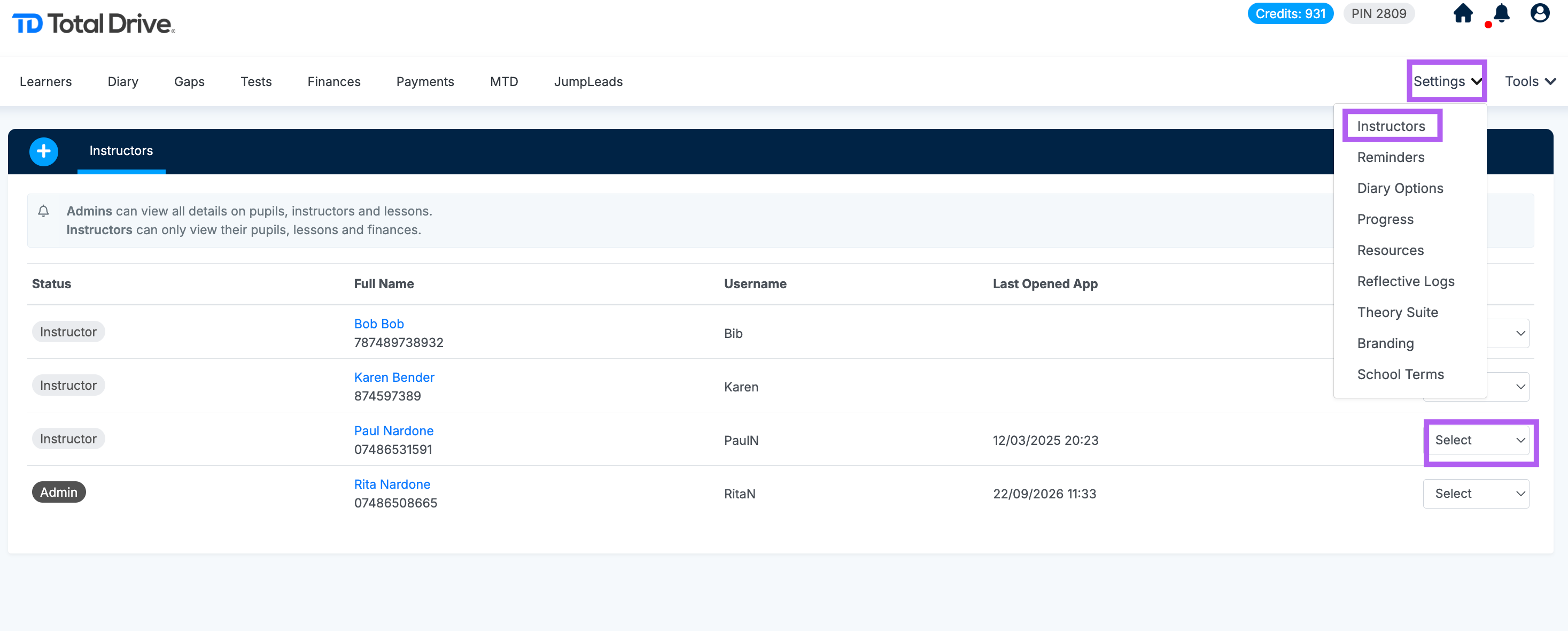
Navigate to Settings.
Select Instructors.
Find the admin account you want to change.
In the Action column, open the dropdown menu.
Choose Make Instructor.

Modified on: Tue, 22 Sep, 2026 at 11:56 AM
How to Revert an Admin to a Standard Instructor Role
Log in to the Web Admin.
Navigate to Settings.
Select Instructors.
Find the admin account you want to change.
In the Action column, open the dropdown menu.
Choose Make Instructor.
Did you find it helpful? Yes No
Send feedback