
Cancelling a Lesson
You can cancel a lesson and choose whether to charge for it, while also recording the reason for the cancellation. There are two ways to do this:
From the Diary:
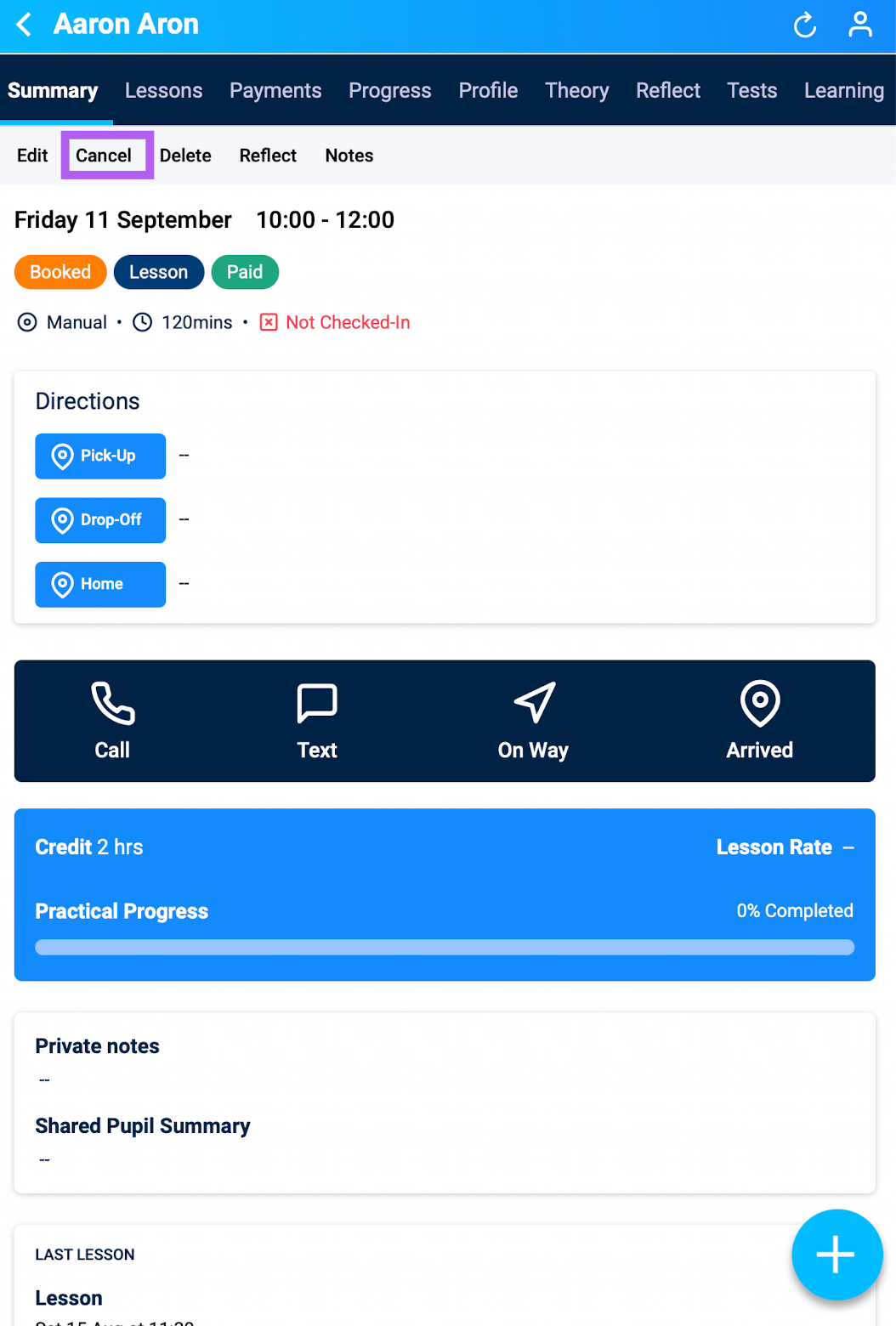
1. Go to the Diary and select the lesson you wish to cancel.
2. On the lesson summary page, tap Cancel.
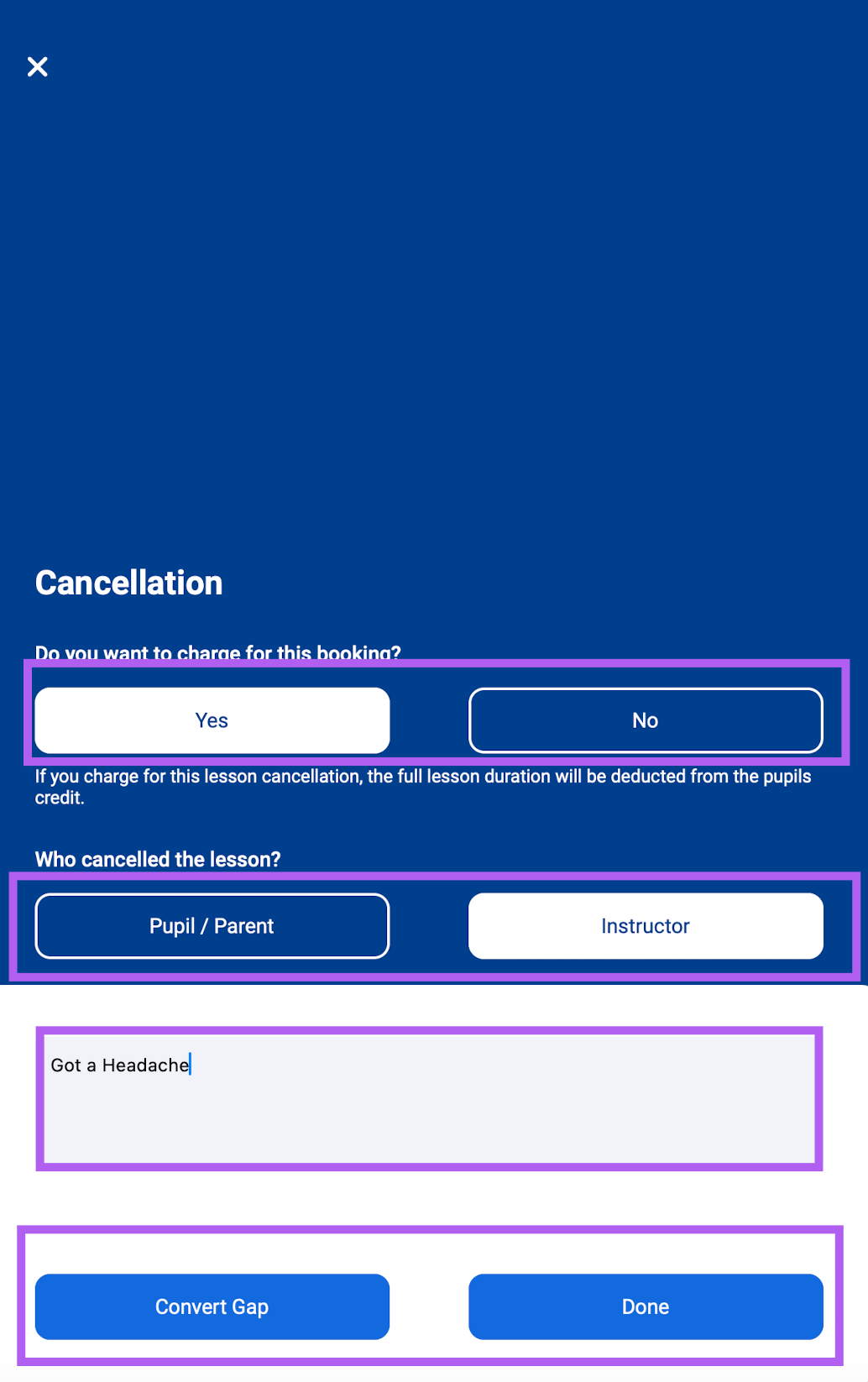
3. A pop-up will appear with the following options:
Charge for this lesson? – Choose whether to apply a charge for the cancelled session.
Who is cancelling? – Select whether the cancellation is made by you or the pupil.
Reason for cancellation – Add an optional note to record why the lesson was cancelled.
4. Confirm your choices to complete the cancellation.
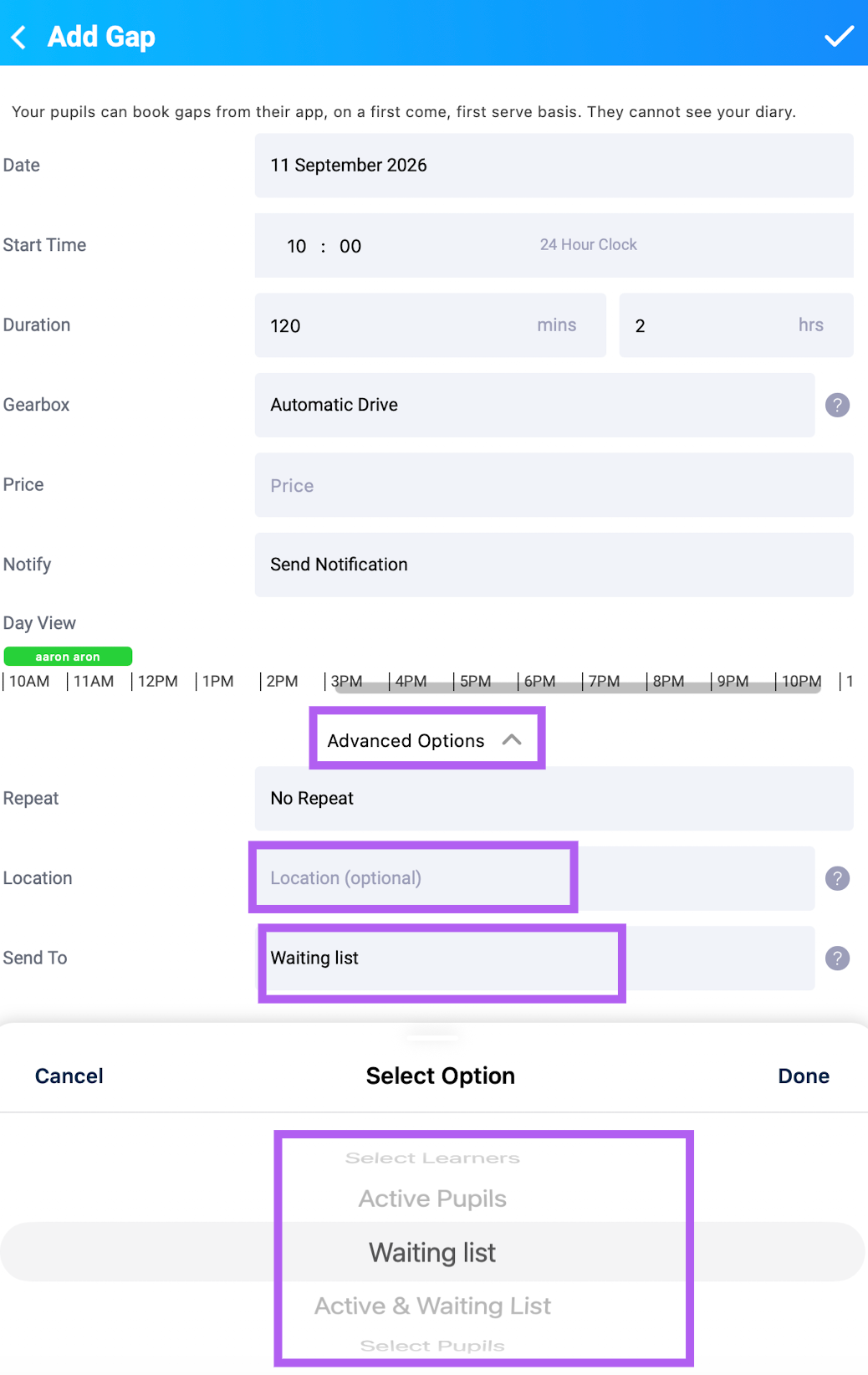
5. Confirm your choices to complete the cancellation. If you click on convert to Gap a new pop-up will open, where you can add location and choose which pupils or group of pupils to send this availability to (you may need to open advanced options
From a Pupil's Profile:
1. Tap the person icon, select the pupil, and open the Lessons tab.
2. Find the lesson, tap the drop-down arrow, and select Cancel.
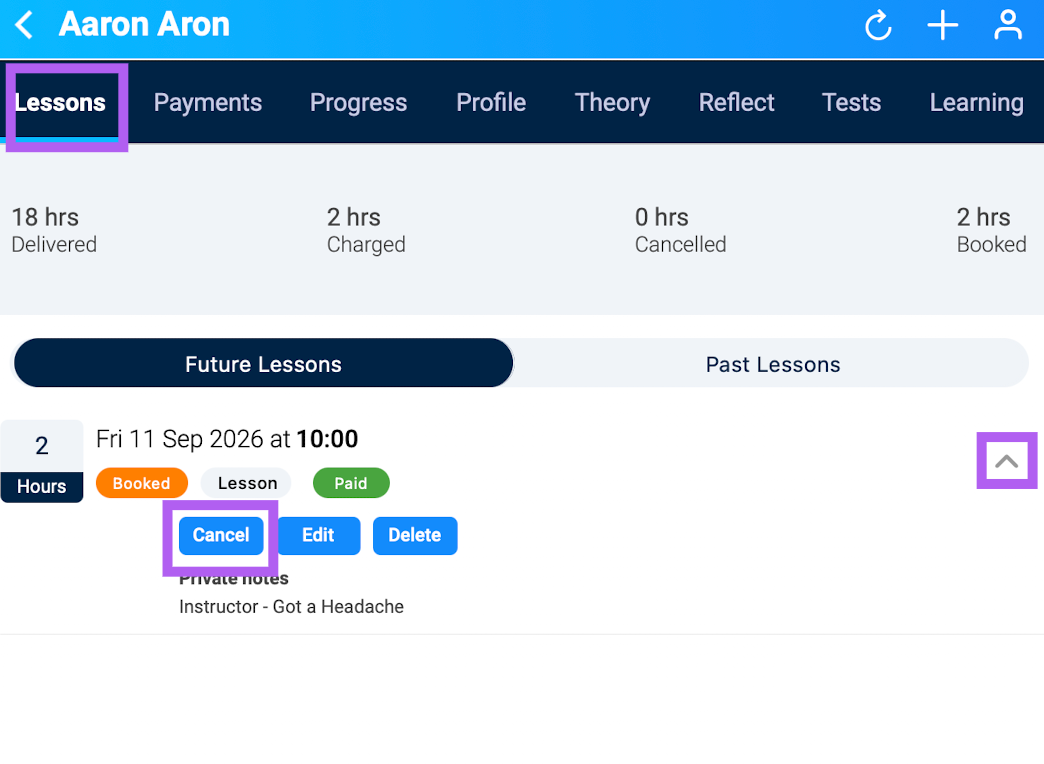
3. Follow the same cancellation steps as outlined above.