Deleting a Lesson
⚠️ Important: Deleting a lesson permanently removes it from the diary and pupil records. This action cannot be undone.
From the Diary:
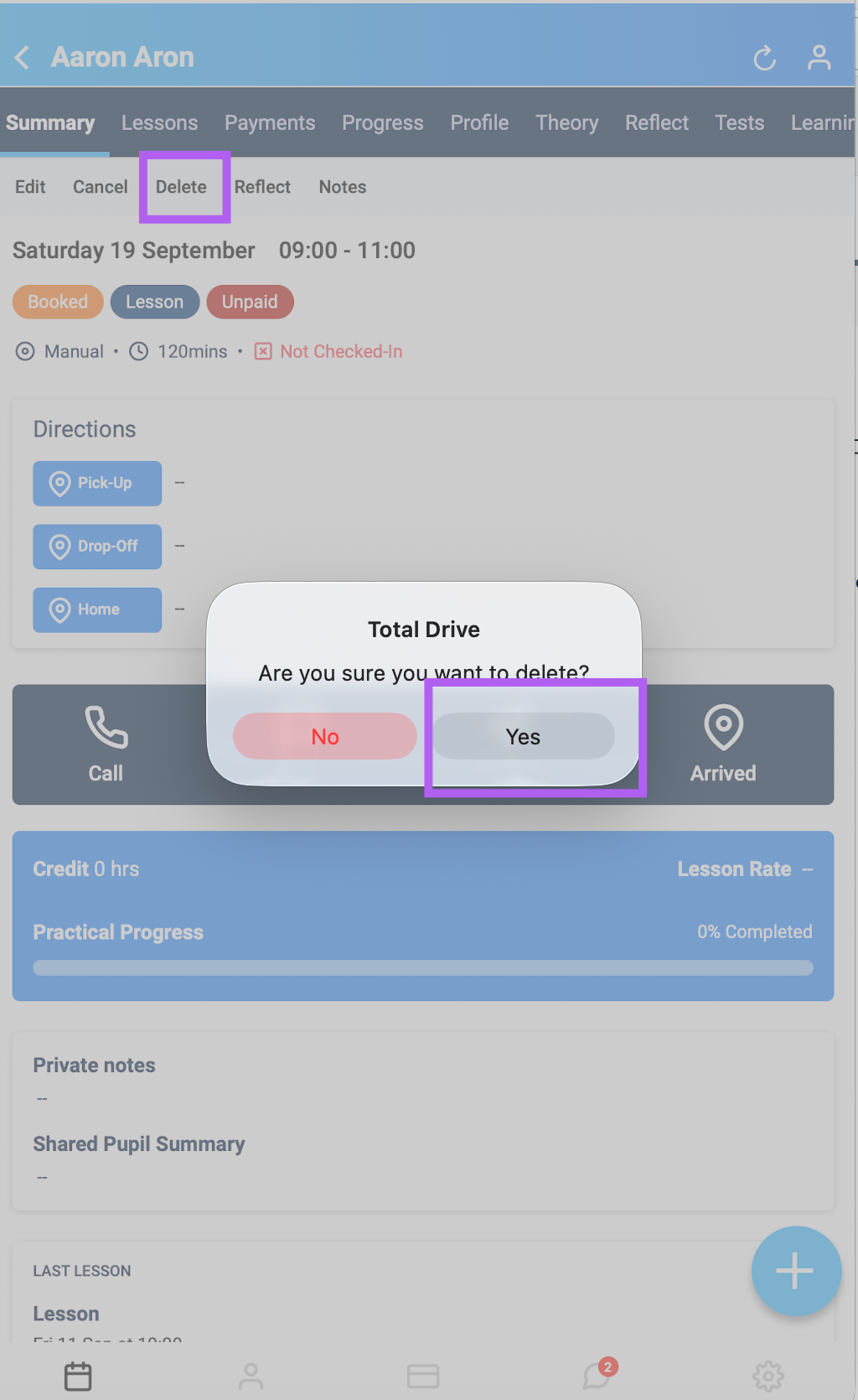
Open your Diary and tap the lesson.
On the summary screen, tap Delete.
A confirmation pop-up will appear — tap Yes to delete the lesson.
From a Pupil's Profile:
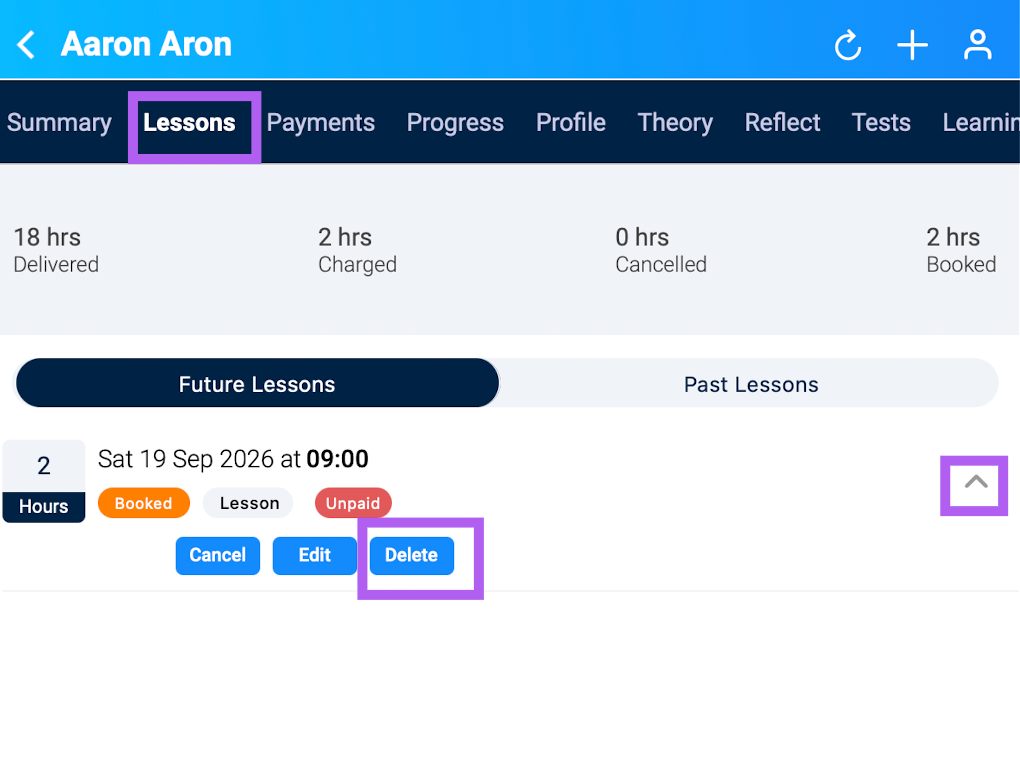
Tap the person icon, go to the pupil's profile, then tap the Lessons tab.
Find the lesson, tap the drop-down arrow, and select Delete.
Confirm the deletion when prompted.