Editing a Lesson
Need to change a lesson's time, date, or notes? You can edit it from either the Diary or a pupil's profile.
From the Diary
Open the Diary page.
Tap the lesson you want to edit.
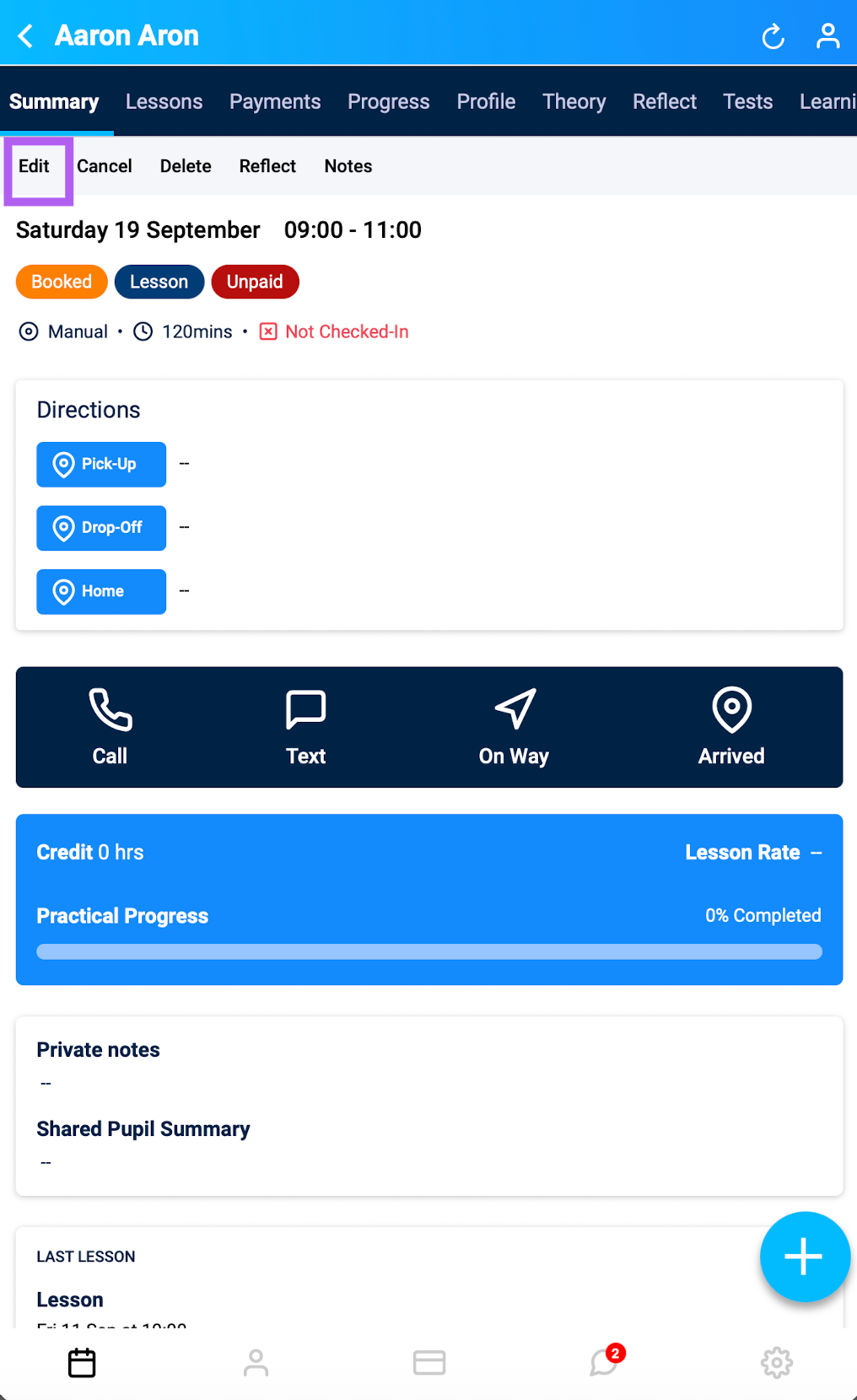
On the lesson summary, tap Edit.
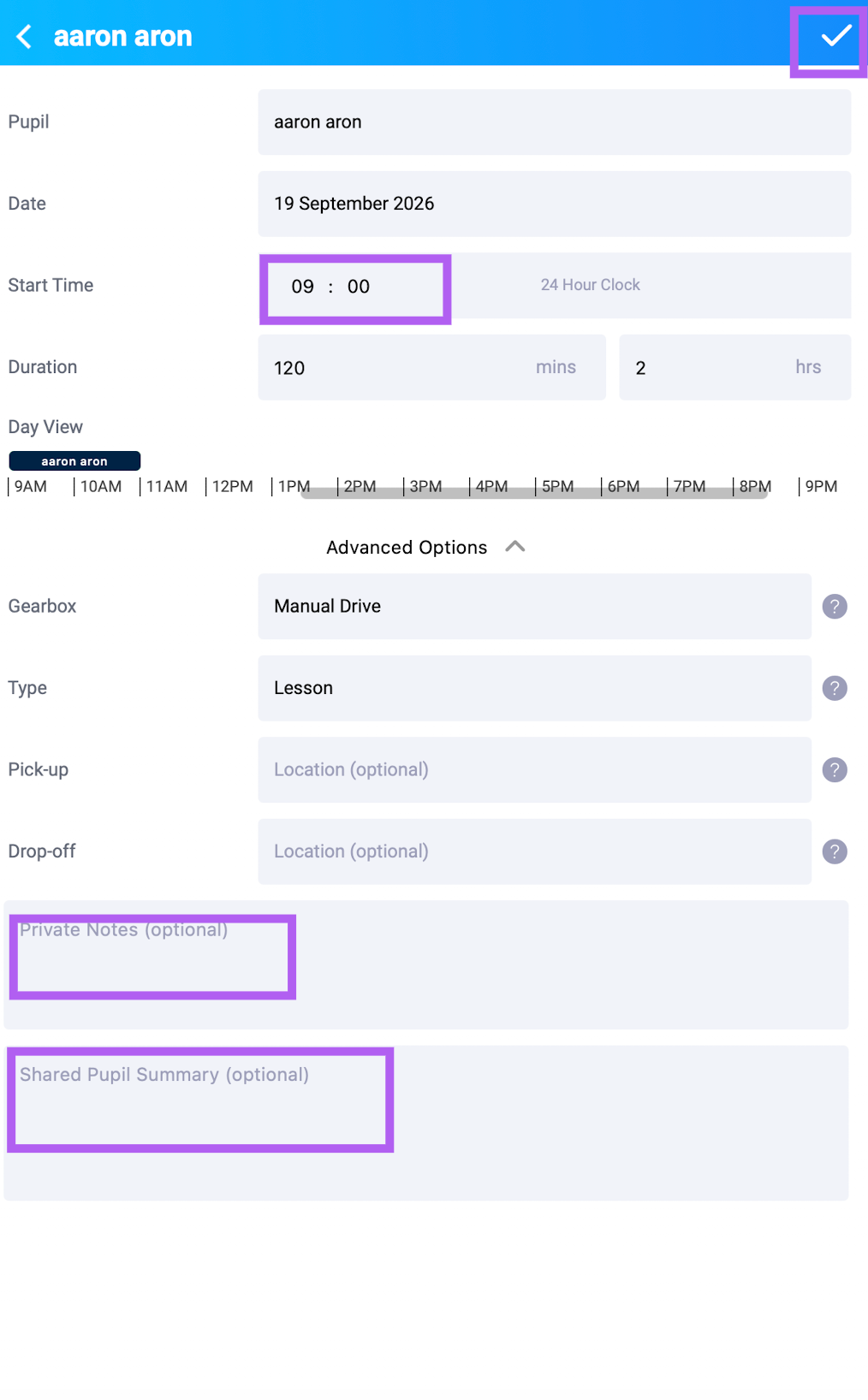
Make your changes (date, time, duration, notes, etc.).
Tap the tick icon to save.
From a Pupil's Profile
Tap the person icon at the bottom of the screen to open Pupils.
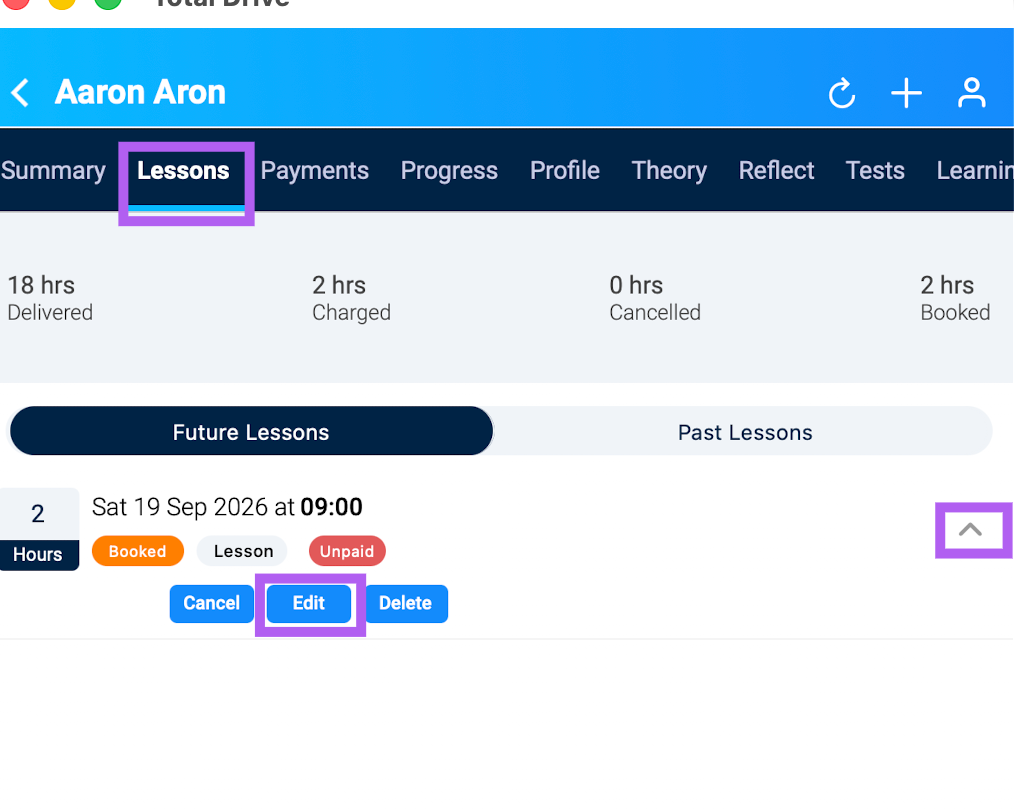
Select the pupil, then go to the Lessons tab.
Find the lesson you want to change, tap the drop-down arrow, and select Edit.
Make your changes, then tap the tick icon to save.