Editing an Expense
Need to change an existing expense? You can update it in a few quick steps from the Money tab.
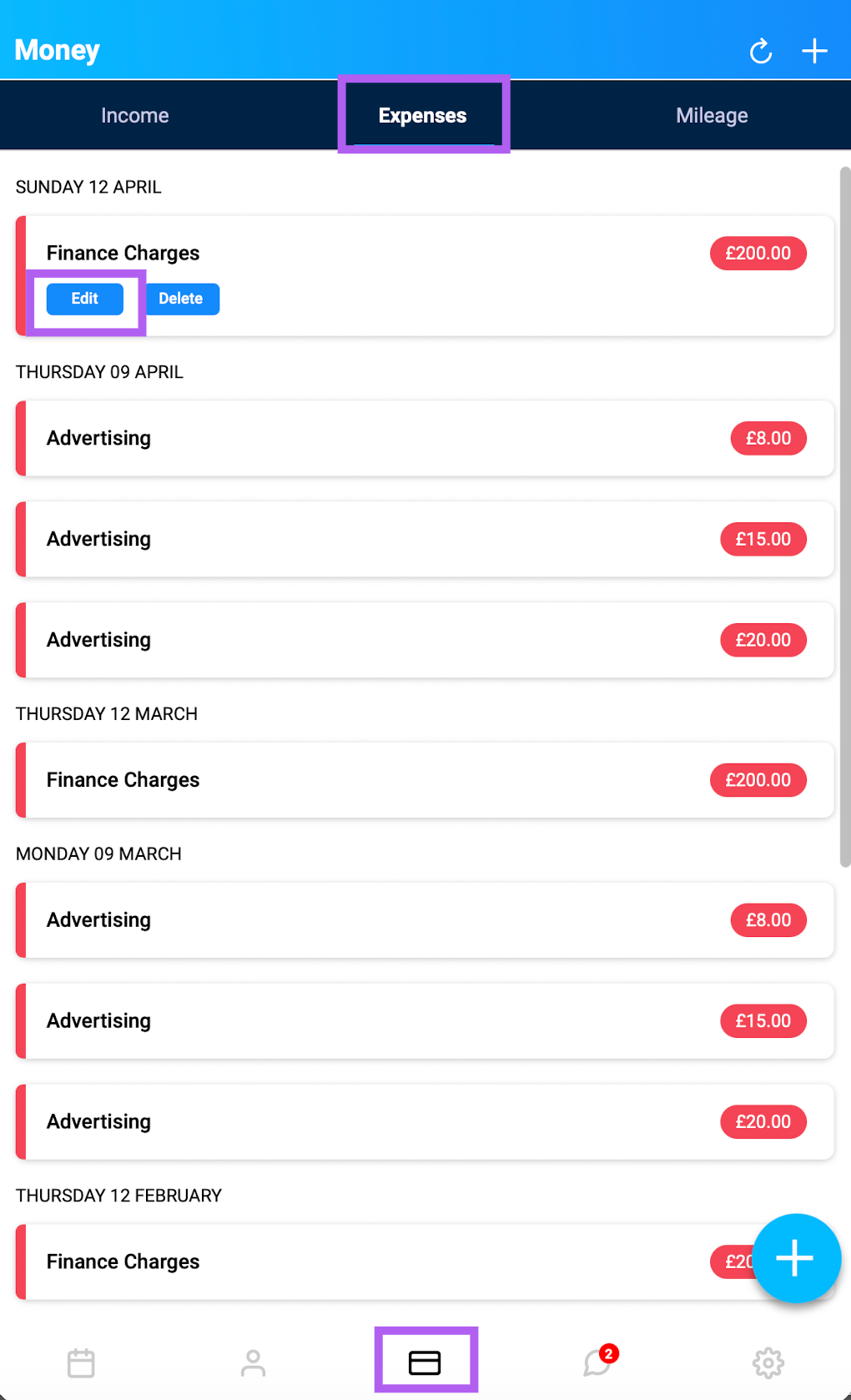
Open the Total Drive app and go to the Money tab.
Switch to the Expenses view using the tabs at the top.
Tap the expense you'd like to edit.
Select Edit.
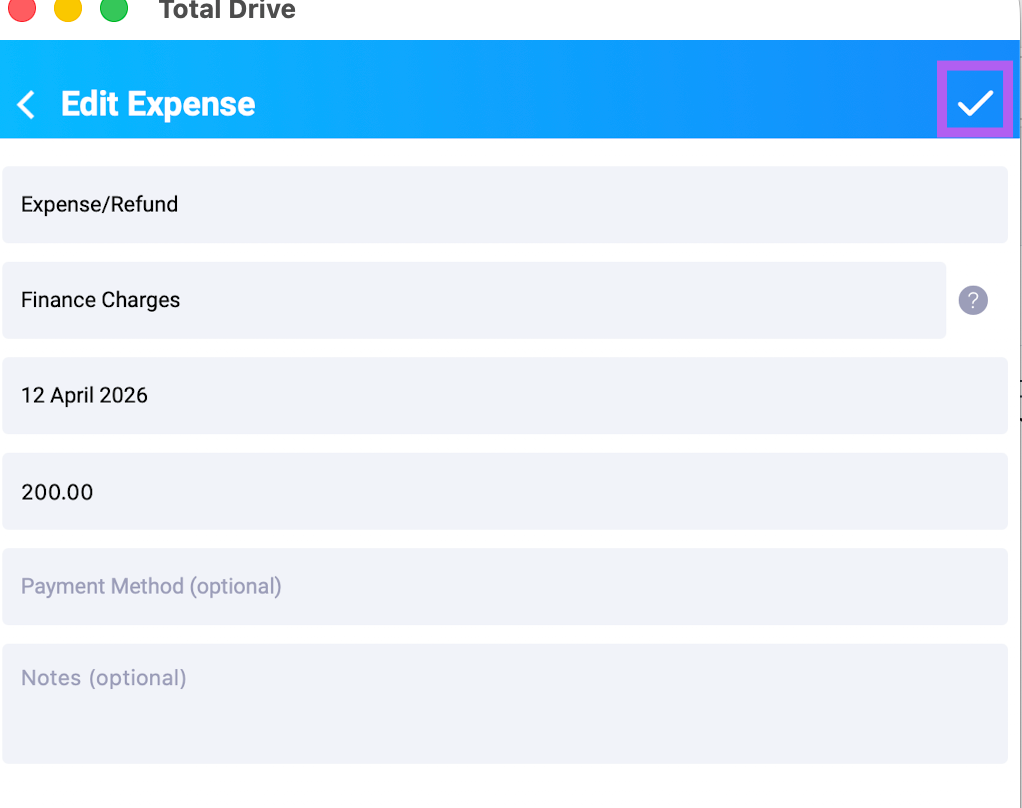
Make your changes to the details.
Tap the tick icon in the top right corner to save.
Your expense will be updated instantly.