Setting Up a Repeating Lesson in the Total Drive App
Creating a repeating lesson in the Total Drive app is quick and easy:
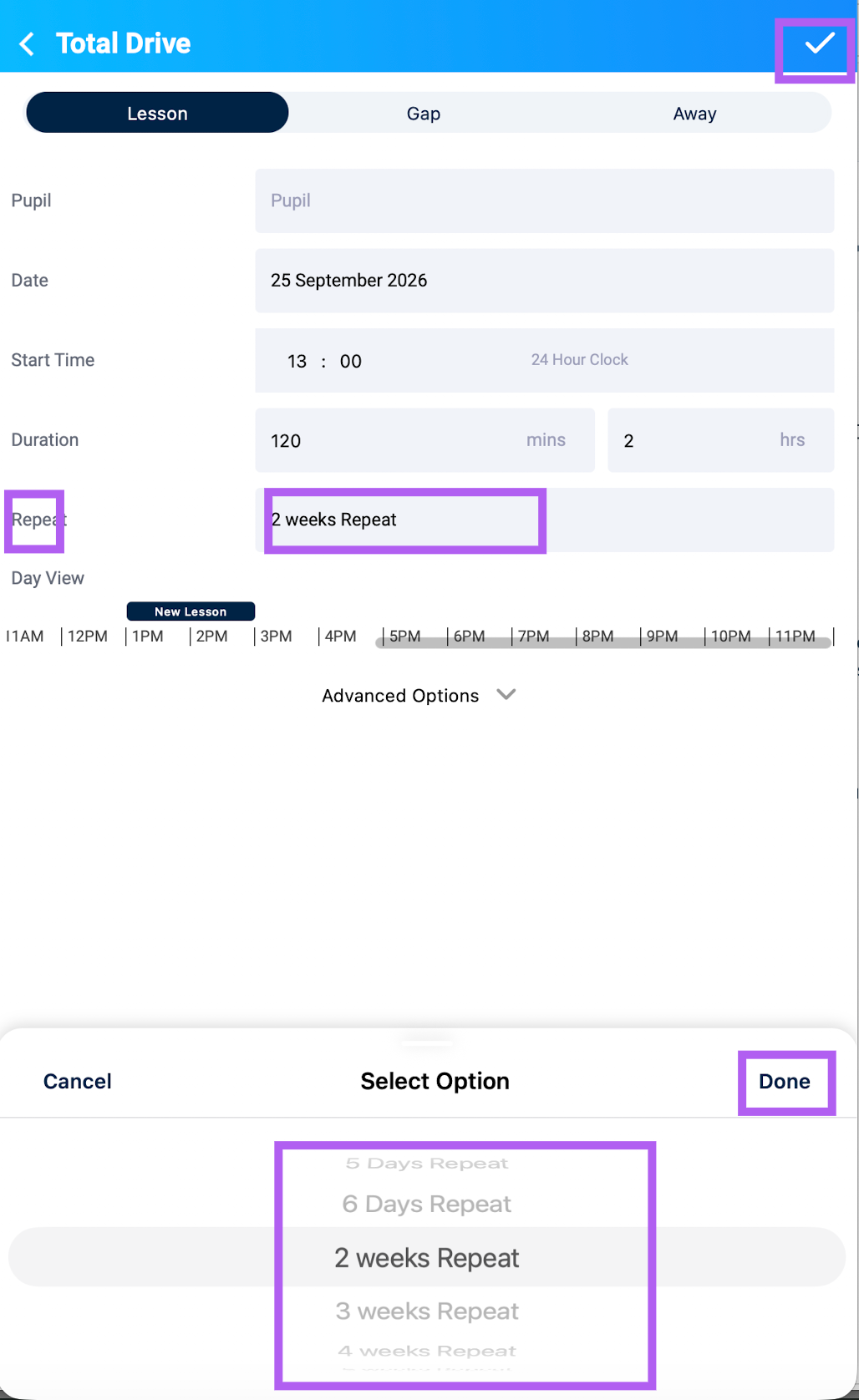
Set up the lesson as usual – add the pupil, date, start time, and duration.
Find the Repeat option – just below the Start Time and Duration, you'll see the Repeat option.
Tap Repeat to choose how often you'd like the lesson to repeat. You'll see options like:
3-day repeat – the lesson will be repeated for 3 days in a row.
6-week repeat – the same lesson will repeat each week for the next 6 weeks.
And many more – pick the option that suits you best.
Continue and save as normal – once you've made your selection, finish setting up your lesson and save it. The app will automatically create the repeated lessons for you.
NOTE: 2 weeks repeat books the lesson plus the same slot next week, for instance