
How to Customise Your Working Hours
You can customise your working hours directly from the Web Admin to suit your schedule. Here's how:
Log in to the Web Admin.
Navigate to Settings.
Select Diary Options.
Click Working Hours.
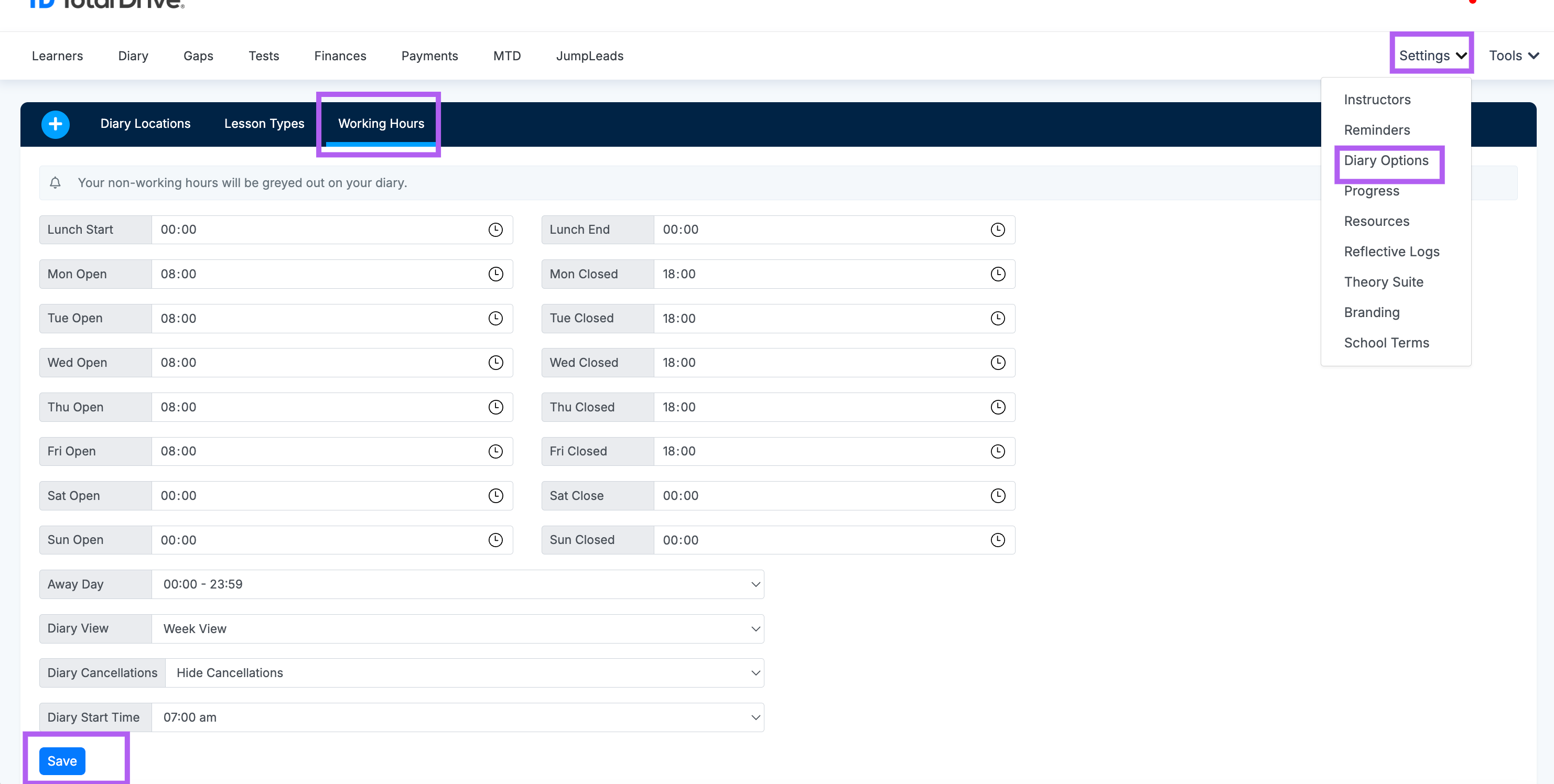 Once on the Working Hours page, you can:
Set your opening and closing times for each day.
Add a lunch break to block out time mid-day.
Adjust your away days and specify how long you want your diary to show you are away
Diary view deicde how you like to see your diary as standard
Cancellations - decide whether you want to show or hide them
Diary Start time - decide what you want to see the diary start time as
When you're happy with your changes, click Save to apply them to your diary.