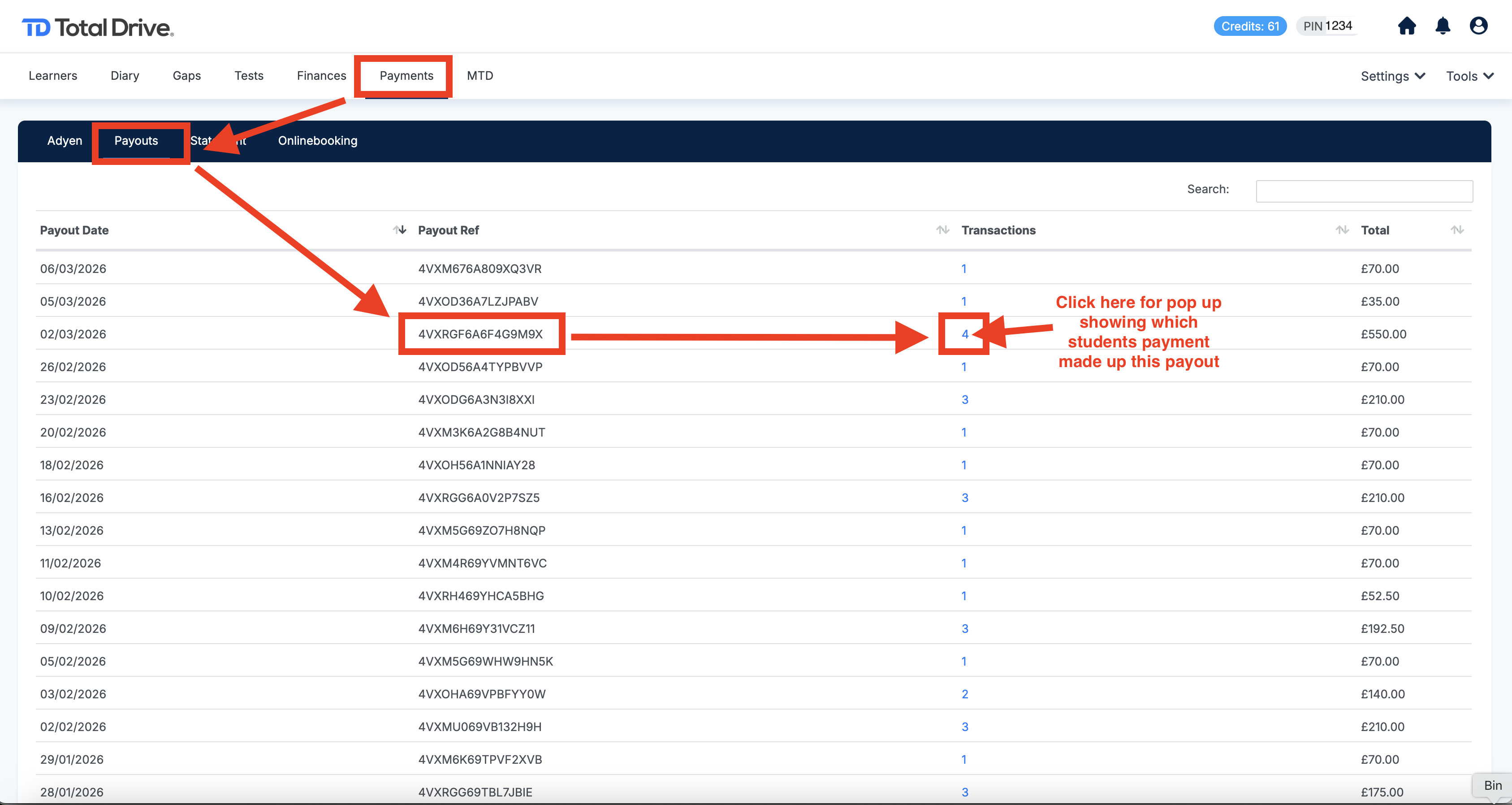
You can view payments made by pupils through the Adyen payment system and see when those payments were paid out to your bank account in the Web Admin.
First, log in to the Web Admin:
https://web.totaldrive.app
Then follow these steps:
Click Payments in the menu.
Select Payouts.
You will see a list of payouts that have been sent to your bank account.
Next to each payout, in the Transactions column, there is a clickable link. Selecting this link will show the individual payments that make up that payout, including:
The pupil who made the payment
The amount paid
The date of the payment
Please refer to the screenshot below for help locating the Payouts section within the Web Admin.